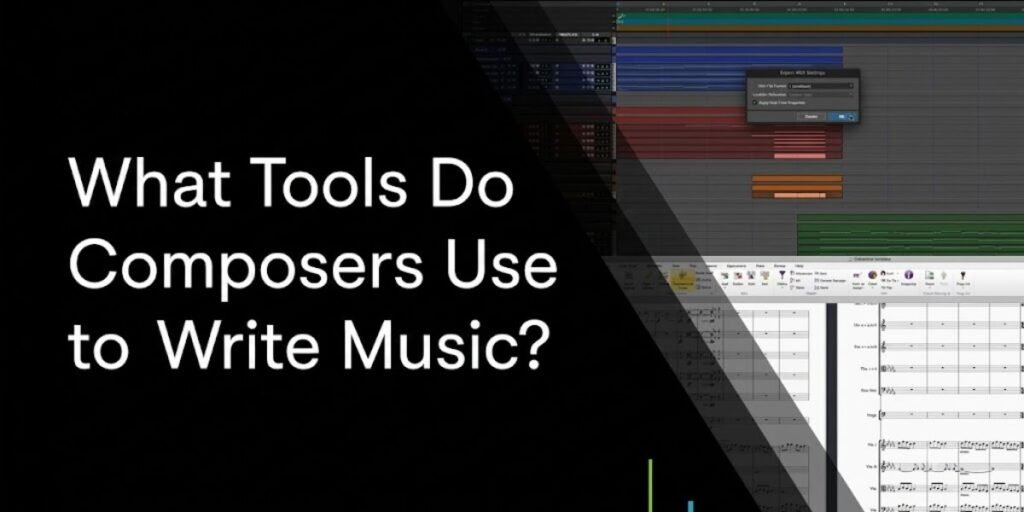
The professional landscape of music composition has undergone a quiet revolution over the past two decades, and the last two years alone reshuffled part of it. Finale, the notation software that defined professional publishing for over three decades, was discontinued by its developer MakeMusic in August 2024. Today, the image of the solitary composer hunched over a piano with nothing but a pencil and manuscript paper is only one piece of a much larger picture.
Whether writing for a high-budget orchestral film score, an interactive video game environment, or a pop production, modern composers rely on a blend of traditional intuition and digital precision. They are part sound engineer, part orchestrator, and part programmer, often moving across several platforms in a single day to turn an abstract idea into finished audio.
Most professional projects need a specialized ecosystem of software and hardware to develop ideas, refine arrangements, and produce high-fidelity demos that can stand in for a live performance before anyone is actually in a recording booth. Every composer builds a slightly different workflow through years of trial and error, but professional work generally rests on the same core set of tools.
Music Notation Software
For composers rooted in classical or film traditions, the score is still the primary document of truth. Notation software is the bridge between what is in a composer’s head and the physical page a live musician actually reads from.
Composers reach for these tools when the end product needs a printed score, such as a concert premiere, a recording session with a live orchestra, or a Broadway pit. If the music will only ever exist as an audio file, plenty of composers skip notation software entirely. However, for complex orchestrations where specific instructions have to reach dozens of individual musicians correctly, these programs are non-negotiable.
The landscape shifted more in the past two years than in the previous fifteen. Dorico, from Steinberg, has gained enormous traction for its automated layout engine and its handling of genuinely complex notation. It manages the kind of work that used to require hours of manual spacing cleanup in older software. Sibelius remains a long-standing favorite, particularly for its speed and its deep roots in professional music preparation workflows built up over 25 years. MuseScore has grown into a robust, free, open-source option that now covers most professional demands, with MuseScore 4 delivering a noticeably better built-in playback engine than its predecessor.
Finale is the one that changed the field structurally. The August 26, 2024 announcement from MakeMusic ended new development entirely. While existing installations kept working, MakeMusic stopped selling licenses immediately and partnered with Steinberg to offer discounted Finale-to-Dorico crossgrades. As of July 2026, Steinberg now handles this transition directly. A huge number of longtime Finale users, including composers working in professional theater and film, have spent the past two years migrating their libraries to Dorico or Sibelius as a direct result.
These tools do far more than place notes on a staff. They interpret musical intent into believable playback, manage instrumental transpositions correctly across an entire orchestra, and generate clean, individually correct parts for every musician in an ensemble. This task used to eat entire days of manual proofreading before modern engraving engines became sophisticated.
Digital Audio Workstations (DAWs)
A Digital Audio Workstation is the actual engine of modern composition. Most composers now spend more hours inside their DAW than inside any notation program, since it functions as the recording studio, the arranger, and the mixing desk all at once.
The DAW is where sound gets manipulated in real time. Composers use it to capture spontaneous ideas, program MIDI sequences, arrange full movements, and sync audio directly to picture for film and game work with frame-accurate precision.
Which DAW a composer settles on is mostly a matter of workflow fit rather than any one being objectively superior. Cubase is widely regarded as the workhorse for large-scale film and orchestral composition, largely on the strength of its MIDI editing tools and its video engine built specifically for scoring to picture. Logic Pro dominates among songwriters and composers inside the Apple ecosystem, shipping with a genuinely large library of usable sounds out of the box. Studio One has built a loyal following on the speed of its drag and drop workflow, which cuts down significantly on menu hunting during a session. Reaper is the choice for sound designers and composers who want extreme customization and the lowest possible CPU overhead, and it is also notably inexpensive relative to the rest of this list. Ableton Live remains the primary tool for electronic composers specifically, thanks to its non-linear session view built for sketching ideas and performing live. Pro Tools is still the industry standard for audio editing, final mixing, and tracking live musicians, even for composers who never touch it during the actual writing phase.
The real decision is not which DAW is better. It is which one lets a given composer move at the speed of their own thinking. Some want a blank canvas, while others want a DAW that arrives fully loaded with instruments and effects so they are never starting from zero.
Virtual Instruments and Sample Libraries
This is where composition has changed more than anywhere else over the last thirty years. Directors and producers routinely expect mockups now, which are demos close enough to a real performance that they can approve a score based on the demo alone.
Sample libraries are large collections of recorded audio from real instruments, mapped across a keyboard so a composer can play them like a synthesizer. A high-end orchestral mockup can easily involve hundreds of individual tracks, each one carrying a different articulation—such as legato, staccato, pizzicato, or tremolo—layered together to approximate how a real section actually plays.
A handful of companies have become foundational to how modern scores actually sound. Spitfire Audio built its reputation on a cinematic, room-forward sound captured in prestigious spaces like Air Studios in London. Vienna Symphonic Library (VSL) takes the opposite approach, offering a modular, highly precise system for composers who want granular control over every performance parameter rather than a baked-in room sound. Orchestral Tools emphasizes authentic performance behavior and genuine ensemble depth over raw sample count. EastWest remains a stalwart with an enormous catalog spanning everything from full choirs to ethnic and world instruments. Native Instruments sits at the intersection of orchestral realism and creative synthesis, and its tools show up constantly in the modern hybrid soundscapes that blend orchestral and electronic elements.
Actually mastering these libraries is a craft of its own. A composer has to learn to program dynamics and articulation switching by hand so a MIDI performance reads as human rather than mechanically looped. The goal is not just a demo that impresses a client, but a blueprint detailed enough that it also guides the eventual live recording session.
MIDI Keyboards and Digital Pianos
The keyboard is the primary bridge between a composer’s intuition and the digital environment. A mouse can input notes accurately, but it cannot capture the expressive nuance of an actual performance. Professional composers use MIDI controllers to sketch melodies, test harmonic ideas in real time, and capture the velocity data that gives a virtual instrument life.
The hardware choice shapes creative flow more than people expect. Many film composers prefer a full 88-key controller with weighted, hammer-action keys specifically because it replicates the physical resistance of an acoustic piano. That resistance forces more deliberate phrasing than the light, springy feel of a synth-style keybed encourages.
For others, the controller is really about modular control rather than key feel. It is common to see a professional setup pairing a keyboard with a fader bank or an expression pedal, letting a composer manipulate volume, vibrato depth, or filter movement in real time while their hands stay on the keys. That physical layering is exactly what keeps a MIDI performance from sounding like a static, quantized sequence.
Audio Interfaces, Studio Monitors, and Headphones
None of this works if you cannot trust what you are actually hearing. The signal chain from computer to ears determines the accuracy of every mix decision and every arrangement choice made along the way.
The audio interface is the foundation. It converts digital signals to audio and handles the low-latency input that real-time recording depends on. As a studio grows, the interface needs enough quality preamps and I/O to bring in outboard gear or additional sets of monitors without a bottleneck.
Studio monitors are not optional for professional work. Consumer speakers color the sound, typically boosting bass or treble to sound impressive in a showroom. Professional monitors are built for a flat, neutral response instead, because that honesty is what lets you make real decisions about instrument balance and spatial placement. Near-field monitors are designed specifically for smaller rooms, minimizing the room’s own acoustic interference on what you are hearing directly. Acoustic treatment matters just as much as the speakers themselves. No monitor can compensate for standing waves and reflections in an untreated room, and bass traps and acoustic panels exist specifically to stop the low end from getting masked. Reference headphones round this out, offering a second, more intimate perspective on detail and transient information the room might otherwise obscure.
If you are just starting, resist the pull toward the most expensive speakers on the market. A decent pair of entry-level professional monitors in a properly treated room will consistently outperform high-end gear sitting in an untreated, echo-prone space.
The Small Tools That Keep Projects Moving
A professional studio is held together by the tools that live outside the DAW entirely. These are the ones that reduce friction, protect work, and manage the logistical mess of a real project.
External SSDs matter because professional sample libraries are enormous, and fast NVMe storage is what keeps load times and playback from stalling a session. Dual monitors give you the screen real estate to separate a timeline from a mixer or a video engine. Trying to run a complex orchestral session on one screen turns into constant menu hunting. Stream Decks and similar programmable consoles have become a real workflow upgrade for shortcut management, letting a composer map complex macros—switching articulations, saving, or backing up a session—to a single physical button without breaking flow. Cloud storage and automated backups are the only real protection against a dead drive wiping out a month of work. Treating this as optional is how careers lose entire projects. Tablets for scores have also become common, letting composers read and mark up digital scores instantly instead of managing stacks of printed paper.
It is easy to get pulled toward whatever new plugin just launched, but these utility items are what keep a project moving when creative pressure is highest. Professionals prioritize them precisely because they eliminate the small, repetitive interruptions that quietly drain creative energy over the course of a long session.
Read More: 8 Best Project Management Tools for Remote Engineering Teams
AI Is Finding a Place in Modern Composition
We are in an era where AI functions as a quiet, tireless assistant in the studio rather than a replacement for the composer. It is not about letting an algorithm write the music, but about offloading the parts of the process that feel like data entry. I use AI-assisted tools primarily to clear the path. When I am stuck on a harmonic progression, I will sometimes run it through a generative tool for variations, not because I plan to use them as written, but because they are often enough to knock me out of a stagnant loop.
Transcription is where AI is delivering the most immediate, practical value right now. If I have a messy, improvised phone recording that captures a good melodic idea, I can run it through a tool like ScoreCloud, Klangio, or AnthemScore and get a readable score back in seconds. These tools specifically target this exact problem in 2026, with varying strengths depending on whether the source material is monophonic or fully polyphonic. That used to cost me hours of tedious listening and manual notation by hand. Automating that specific friction gets me back to actually composing faster.
I also lean on it for technical cleanup. AI-driven noise reduction and spectral repair, the category iZotope’s RX suite pioneered and competitors have since built into, are now standard practice for rescuing takes that would previously have been thrown out over background noise or room artifacts. None of this is about cutting corners. It is about protecting time so you stay in the creative headspace instead of the administrative one.
Read More: What Is AI Automation? How It Works and Real-World Uses
How the Right Toolkit Changes From One Composer to Another
Your toolkit reflects your specific constraints and goals more than any universal best-practice list. A film composer lives inside rigid timing and locked video edits. Their setup is heavily built around MIDI orchestration, frame-accurate video sync, and the ability to turn around a large volume of usable music fast. If you are not fast, you are not working, as that is simply the nature of the deadlines in that world.
A game composer operates under a completely different set of priorities. They are scoring possibility space, not a fixed scene, which is why their toolkit typically includes middleware like FMOD or Wwise. These are systems that let them program how music layers, loops, and transitions in response to what a player is actually doing in the moment. They are writing in dimensions, not along a single linear timeline.
Classical composers working in the concert world usually put notation software above everything else, since the score is literally their product. Songwriters, meanwhile, often run a leaner setup entirely, favoring an immediate, performance-first environment for capturing a vocal or guitar take without wading through thousands of orchestral samples they do not need. The tools stay broadly similar across all of these, but what actually matters—score accuracy, technical implementation, or raw sonic character—shifts entirely based on the project in front of you.
Read More: AI SaaS Tools for Business Automation: The Practical Startup Stack
Building Your Toolkit Over Time
Do not make the mistake of assuming you need a professional-grade studio to write professional music. I have seen composers turn out award-winning work with nothing more than a decent laptop and a reliable pair of headphones. The real secret is expanding your setup only as the actual demands of your work justify the investment.
Start by mastering what you already have. If you can make something genuinely great with stock plugins and a basic piano library, you will be far more effective once you finally do upgrade to premium tools, because you will know exactly what problem you are solving. Professionals generally do not buy gear because it looks impressive on a shelf. They buy it because they have hit a specific bottleneck that the new tool actually solves.
If you are constantly waiting on samples to load, that is the moment to buy the fast SSD. If your mixes sound muddy or unbalanced the moment you play them in a different room, that is the signal to invest in acoustic treatment. Buy tools to solve problems you can name, not to quiet a vague feeling that you need more. Over time, your studio becomes a genuine reflection of how you actually work, and that is a far more powerful place to build a career from than owning the most expensive gear on the block.
Frequently Asked Questions
Do I need both music notation software and a DAW to compose music?
Not necessarily. If you are purely producing tracks or writing music that never needs to be read by live musicians, a DAW is often all you need. Notation software specifically matters when your music needs to be communicated through a printed score.
Which tools should I buy first if I am just getting started as a composer?
A reliable computer, a quality pair of studio-grade headphones, and a basic MIDI keyboard. Learn your DAW thoroughly before spending significant money on large orchestral sample libraries or professional notation software.
Can I write professional-quality music using free composition software?
Absolutely. Free tools like MuseScore for notation and Reaper or GarageBand for production are used by working professionals every day. Your musical ideas and your ability to execute them always matter more than what your software costs.
Why do so many composers use virtual instruments instead of recording live musicians?
Cost and speed. High-end virtual instruments let composers present realistic demos to directors or producers instantly, without the expense and logistics of booking a live orchestra for every single draft of a cue.
Do professional composers still write music by hand, or is everything done on a computer?
It varies by person. Many still use pencil and paper for sketching initial themes or working through harmonic problems, specifically because it removes the distraction of a screen. Final delivery and production, though, almost always happen on a computer.
How do the tools used by film composers differ from those used by classical or songwriting composers?
Film composers focus on video sync, large-scale MIDI orchestration, and fast turnaround. Classical composers prioritize score accuracy and performance nuance. Songwriters focus on vocal production and capturing a performance immediately. The core tools overlap significantly, but the workflow and priorities differ a great deal.