Every week, project details, budget approvals, and task assignments disappear the moment a video call ends. A hurried scribble during a fast-moving strategy session rarely survives contact with the next meeting, and nobody wants to spend a Saturday scrubbing through an hour of recorded video to find the one line where a client agreed to a budget increase.
That is the gap this software category was built to close, and it has grown fast because of it. Grand View Research puts the global AI meeting assistant market at roughly $3.5 billion in 2025, on pace to reach $4.3 billion in 2026 and climb toward $21.5 billion by 2033. That reflects a 25.8% compound annual growth rate showing how quickly this software moved from novelty to daily infrastructure for remote teams.
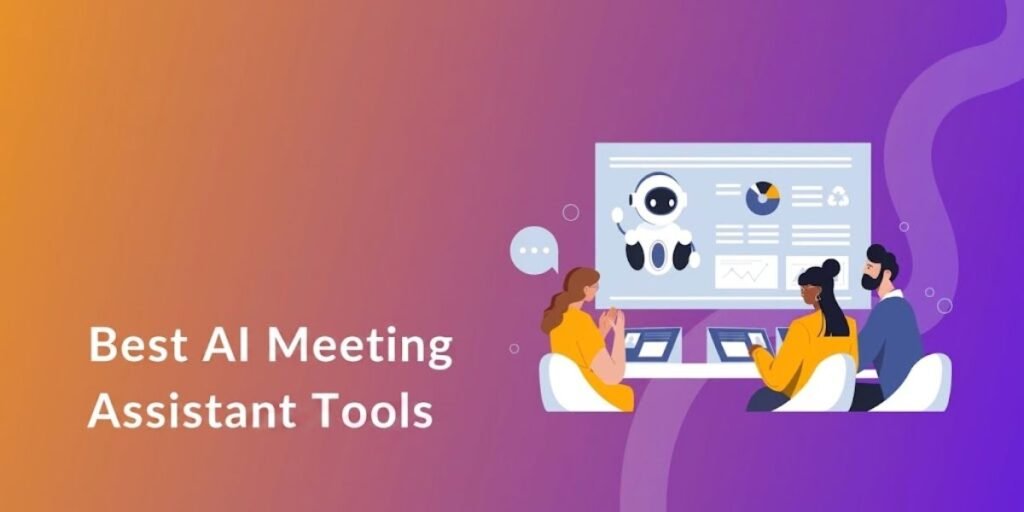
The best AI meeting assistant tool available today does far more than convert speech to text. What used to be a simple transcription bot now behaves like a workflow engine: it listens, organizes, extracts commitments, and pushes structured data into the CRM, task tracker, or Slack channel where the work actually happens.
Whether you need a dependable AI note taking app for personal research calls, a lightweight AI notetaker for client work, or a company-wide best AI note taking app for institutional knowledge, this guide breaks down ten platforms worth your attention in 2026, based on real meeting performance rather than marketing claims. We tested each on live calls with multiple speakers and regional accents, then compared pricing, free-plan limits, and data-handling policies.
The Best AI Meeting Assistants
| Tool | Best For | Free Plan | Standout Feature |
| Fathom | Free meeting notes | Yes | AI summaries with BANT and Sandler templates |
| Fireflies.ai | Meeting search and workflows | Yes | Searchable archive across 100+ languages |
| Otter.ai | Live transcription | Yes | Real-time captions with automatic slide capture |
| tl;dv | Meeting clips and insights | Yes | Cross-meeting search with Claude-powered summaries |
| Avoma | Sales and customer calls | Limited (14-day trial) | Deal-risk and talk-ratio analytics |
| Granola | Bot-free meeting notes | Yes | Manual notepad blended into AI summaries |
| Krisp | Quiet, bot-free capture | Yes | Listener-side real-time accent conversion |
| Fellow | Structured team meetings | Yes | Shared agendas tied to action tracking |
| Notta | Multilingual meetings | Yes | Transcription and translation across 58 languages |
| Read AI | Meeting analytics | Yes | Engagement and sentiment scoring per speaker |
How We Picked These AI Meeting Assistants
Selecting software that sits in on client strategy calls takes more scrutiny than picking a basic task manager. A vendor can advertise 99% accuracy and still fall apart when three people talk over each other during a heated roadmap discussion.
We evaluated every tool against eight core variables that predict real-world performance:
- Speech recognition accuracy across regional accents, background noise, and industry jargon.
- Summary depth, specifically whether the AI isolates firm decisions from casual conversation.
- Capture mechanics, comparing guest-bot entry against silent, on-device audio capture.
- Cross-meeting search, for pulling one topic out of hundreds of past calls.
- Native connections to Slack, HubSpot, Salesforce, Asana, and similar tools.
- Setup time for both a solo user and a multi-seat rollout.
- Pricing structure, including where free tiers cap out and how costs scale per seat.
- Data handling, covering encryption, SOC 2 or HIPAA status, and model-training policies.
10 Best AI Meeting Assistants in 2026
1. Fathom – Best for Free Meeting Notes
Fathom is the default pick for freelancers and small teams that want clean call notes without hitting a paywall on day one. Founded by former Crew CEO Richard White, the company reported $30 million in annual recurring revenue for 2025, up from $10 million a year earlier, following a $17 million Series A raised in 2024 at a roughly $73 million valuation. It now counts hundreds of thousands of daily active users across Zoom, Meet, and Teams.
The free plan is genuinely usable: unlimited recordings and transcriptions, instant AI summaries, and clips and playlists from specific moments in a call. Click once during a live meeting and Fathom flags that moment for the AI to prioritize in the final summary.
Key Strengths:
- Summary templates built around BANT and Sandler frameworks, with one-click sync into HubSpot and Salesforce.
- A free tier with no artificial word-count ceiling, unusual at this price point.
Premium runs $20/month ($16 billed annually) for advanced templates and AI-drafted follow-up emails. The Team tier costs $19/user/month billed annually and adds organization-wide search. Every paid tier carries a 90-day money-back guarantee.
2. Fireflies.ai – Best for Searchable Meeting History
Fireflies.ai was built for organizations that want conversations turned into a centralized, searchable library. Its assistant, Fred, joins calendar invites automatically and transcribes more than 100 languages across Zoom, Meet, Teams, and roughly a dozen other platforms.
The standout feature is search depth. Instead of trying to remember which call held a budget approval, you can query the archive with natural language, custom tags, or smart filters for pricing mentions and assigned tasks. AskFred, its conversational AI layer, answers direct questions about anything said in a past meeting.
Key Strengths:
- Deep search across a company’s full meeting history, not just one transcript.
- Native connections to more than 50 tools, including CRMs, Zapier, and custom webhooks.
- SOC 2 Type II, GDPR, and HIPAA compliance built into every paid tier.
The free plan caps at 400 minutes of team storage, 20 AI credits, and a two-hour recording limit. Pro starts at $10/seat/month billed annually ($18 monthly); Business runs $19/seat billed annually and unlocks conversation intelligence; Enterprise sits at $39/seat with SSO. Fireflies crossed 150,000 users not long after its 2021 Series A.
3. Otter.ai – Best for Live Transcription
Otter.ai remains the tool of choice for journalists, executive assistants, and research teams who need readable text on screen while a conversation is happening. As a call progresses, Otter streams live captions, identifies distinct speakers, and embeds screenshots of shared slides alongside the corresponding text.
Attendees can highlight phrases and assign tasks in real time without interrupting whoever is speaking, and its built-in Otter AI Chat answers follow-up questions once the call ends.
Key Strengths:
- Best-in-class real-time streaming accuracy paired with automatic slide capture.
- An interactive workspace that lets teams annotate a transcript collaboratively, mid-call.
The free Basic plan includes 300 transcription minutes a month. Pro costs $16.99/month or $8.33/month billed annually, raising the cap to 1,200 minutes with a 90-minute meeting limit. Business runs $30/month ($19.99 billed annually) for meetings up to four hours and three concurrent joins. Enterprise adds SSO, SCIM, and an optional HIPAA package. Heavy cross-talk can still need light cleanup, but live-stream accuracy is why Otter keeps its seat here.
4. tl;dv – Best for Meeting Clips and Cross-Meeting Insights
tl;dv was built for remote product teams who would rather watch a 90-second clip than read a transcript. It timestamps and clips specific moments from a call, so instead of sending a colleague an hour-long recording, you send the exact objection or approval that matters.
Its cross-meeting engine lets you query dozens of past interviews at once, surfacing every instance a customer mentioned a feature or pricing concern. On the Business plan, it layers in Claude-powered summarization for sharper synthesis than a generic wrapper.
Key Strengths:
- Fast video clipping and timestamping for asynchronous sharing.
- Cross-meeting search that aggregates insights from an entire call library at once.
The free plan has real teeth: recordings auto-delete after three months, you get only 10 AI summaries for the account’s lifetime, and weekly recordings cap at 40. Pro runs $29/month or $18/month billed annually and removes those ceilings. Business jumps to $98/month ($59 billed annually) for native Salesforce and HubSpot sync plus the coaching layer.
5. Avoma – Best for Sales and Customer Calls
Avoma is a conversation-intelligence platform built for revenue teams, linking agenda planning, live transcription, note formatting, and pipeline tracking into one system rather than a bolt-on note-taker.
Unlike general-purpose apps, it analyzes customer calls to track buying signals, competitor mentions, and talk ratios, then syncs summaries directly into the matching record in Salesforce, HubSpot, or Pipedrive.
Key Strengths:
- Deal-risk scoring and talk-ratio analytics that flag stalled opportunities early.
- Bi-directional CRM sync that keeps pipeline records current without manual re-entry.
Pricing starts at Startup for $29/month or $19/month billed annually for up to 25 paid seats, with unlimited free viewer seats on every tier. Organization, the most popular plan, runs $39/month ($24 billed annually) for up to 100 seats. Add-ons for Conversation Intelligence, Revenue Intelligence, and Lead Router each run roughly $29 to $35 per seat, with bundling discounts up to 15%. A 14-day free trial unlocks the full Organization plan.
6. Granola – Best for Bot-Free Meeting Notes
Granola takes a different approach: no guest bot ever joins your call. It runs as a quiet desktop app that captures system audio directly while giving you a clean space to type your own rough notes as the conversation happens. Once the call ends, its AI blends your notes with the underlying audio into a summary shaped by what you flagged as important.
The company’s momentum has been hard to miss. In March 2026, Granola closed a $125 million Series C led by Index Ventures and Kleiner Perkins, valuing the company at $1.5 billion, up from $250 million less than a year earlier, bringing its total raised to $192 million. Customers now include Vanta, Gusto, Thumbtack, Asana, Cursor, and Mistral AI. Co-founder Chris Pedregal has framed the round around a shift in what notes are for: the transcript is becoming a commodity, and the value now sits in what an AI agent can do with it, from drafting a follow-up to updating a CRM record.
Key Strengths:
- Bot-free capture preserves privacy and keeps the call room free of visible recording tools.
- Personal notes and transcript merge into one summary reflecting your own priorities.
- New Spaces shared workspaces and an MCP server let AI agents like Claude pull directly from your notes.
The free Basic plan covers limited meeting history. Business for $14/user/month adds unlimited notes and integrations with Notion, Slack, HubSpot, and Zapier. Enterprise at $35/user/month adds SSO and organization-wide auto-deletion. It requires the desktop app to be open during the call, but the local-only capture makes it a strong fit for sensitive negotiations.
7. Krisp – Best for Bot-Free Meeting Capture
Krisp pairs local, bot-free audio capture with the noise cancellation technology that first made it famous. Running as a virtual audio driver on Mac or PC, it strips out barking dogs, traffic, and echo in real time while capturing clean, multi-speaker audio from any calling app, including Zoom, Teams, Meet, and custom softphones.
Krisp made real news in March 2026 with listener-side, real-time accent conversion, which processes incoming speech on the listener’s own device and clarifies misheard phonemes while leaving the speaker’s outbound audio untouched. It runs under 200 milliseconds of latency, stores no raw audio, and shows the strongest gains on Indian, Filipino, Latin American, African, and Mandarin-accented English. Co-founder Arto Minasyan put it plainly: he knows what it feels like to repeat yourself on a call or see someone concentrating on pronunciation instead of an idea. Krisp’s infrastructure runs on more than 200 million devices, processing roughly 80 billion voice minutes monthly.
Key Strengths:
- Simultaneous noise removal and local call capture with no visible bot in the room.
- Listener-side accent conversion that improves comprehension without altering how the speaker sounds.
Core runs $16/month ($8 billed annually) with unlimited AI note-taking and one hour of daily accent conversion. Advanced steps up to $30/month ($15 billed annually) for four hours of accent conversion and Salesforce integration. Enterprise adds on-device transcription with SOC 2, HIPAA, and BAA compliance.
8. Fellow – Best for Structured Team Meetings
Fellow manages the full lifecycle of a team meeting, before, during, and after, rather than just recording what happens once everyone joins. It emphasizes collaborative agenda-building, structured notes, and continuous goal tracking across recurring 1:1s and cross-functional syncs.
Before a call starts, Fellow prompts participants to add items to a shared agenda. During the call, its AI transcribes the discussion, populates notes against each item, and converts commitments into trackable tasks with owners and due dates.
Key Strengths:
- Agenda management tied directly to recurring meeting series, not a one-off recording.
- Task tracking that syncs with Jira, Asana, and Todoist so follow-ups do not die in a shared doc.
The free plan caps at five seats and five lifetime AI notes per user. Team runs $7/user/month billed annually ($11 monthly) for up to 20 seats. Business, at $15/user/month billed annually ($23 monthly), removes the caps and adds sales recap templates. Enterprise starts at $25/user/month billed annually with transcript redaction and AI-driven CRM updates.
9. Notta – Best for Multilingual Meetings
Notta is built for global teams running meetings across multiple languages and dialects. The platform transcribes 58 languages and offers real-time translation across as many as 61 target-language options, handling technical terms and regional accents smoothly for multinational collaboration without a human interpreter.
Users can upload audio files, record a live conversation, or send a bot into a scheduled call, and get back a dual-language transcript with speaker tags.
Key Strengths:
- Support for 58 transcription languages with strong translation accuracy on technical vocabulary.
- Reliable handling of overlapping speakers and diverse accents.
The free plan gives 120 transcription minutes a month, capped at three minutes per conversation. Pro costs $13.62/month or $8.17/month billed annually at a 40% discount, raising the cap to 1,800 minutes. Business runs $27.75/month ($16.67 billed annually) for unlimited transcription. Enterprise starts at 51 seats. Its CRM ecosystem is thinner than a platform like Avoma, but for multilingual accuracy it is hard to beat.
10. Read AI – Best for Meeting Analytics
Read AI approaches meetings from an analytics angle, scoring conversation dynamics and meeting effectiveness across an organization rather than just producing a transcript. Beyond summaries and action items, it analyzes voice tone and interaction patterns to generate sentiment and engagement scores for every call, then rolls those into reports pinpointing where meetings lose momentum.
The company raised a $50 million Series B in October 2024 led by Smash Capital, alongside existing investors Madrona and Goodwater, at a $450 million valuation, six months after a $21 million Series A. CEO David Shim has since pushed into adjacent surfaces, including a free Read AI for Gmail extension.
Key Strengths:
- Objective engagement and talk-time metrics broken out per participant, not just per meeting.
- Support for 20-plus languages with integrations into Notion, Salesforce, and Slack.
The free plan covers five meetings a month with a one-hour cap per call. Pro runs $19.75/month ($15/month billed annually) for unlimited transcripts. Enterprise starts at $39.75/month ($29.75 billed annually, minimum 10 licenses), and Enterprise+ layers in HIPAA compliance.
Which AI Meeting Assistant Is Best for Your Workflow?
Matching a platform to your actual workload matters more than chasing the highest-rated tool on a review site:
- For free note-taking: Fathom delivers clean summaries and CRM sync without a paywall.
- For organization-wide search: Fireflies.ai covers more ground than any competitor here.
- For real-time transcription: Otter.ai live captioning is the fastest to read on screen.
- For revenue workflows: Avoma deal analytics justify its higher price for sales teams.
- For zero meeting bots: Granola and Krisp both process audio locally.
- For managerial structure: Fellow connects shared agendas to live notes and task tracking in a way none of the others attempt.
- For global teams: Notta 58-language support handles a use case most competitors treat as an afterthought.
What to Look for Before Choosing One
Picking software without weighing the technical constraints underneath it creates friction after rollout. These are the practical areas worth checking before committing a team to one platform:
Capture Method Mechanics
Meeting software captures calls through two primary methods. Bot-based platforms send a virtual guest into the video room to record audio directly. Desktop tools like Granola and Krisp instead record system audio locally, without appearing on the participant roster. If your firm handles confidential client work where a visible bot is barred, a desktop-capture tool is the only option that fits.
Summary Context and Processing Quality
Basic transcription engines simply convert speech into an unbroken block of text. Stronger platforms apply semantic processing that separates small talk from an actual commitment, isolating decisions and flagging project risk rather than handing you a condensed wall of text.
Action Item Accuracy
A common failure point in weaker tools is mistaking a casual comment for a firm commitment. Look for software that identifies clear action triggers, assigns a specific owner, and pulls an explicit deadline out of the conversation.
Ecosystem Integration
A meeting summary is worth far more once it flows directly into the tools you already use daily, whether that means pushing sales notes into HubSpot, creating tasks in Asana, or dropping call highlights into a Slack channel.
Search Infrastructure
As your call library grows into the hundreds, searching transcripts one by one stops being practical. Prioritize tools with genuine global search that lets you query months of past meetings in plain language.
Pricing Constraints and Privacy Standards
Read free-plan fine print carefully. Monthly transcription-minute caps and restricted search access are common ways vendors keep a free tier usable for demos but not daily work. On security, verify SOC 2 or HIPAA status where relevant, and confirm whether the vendor trains public foundation models on your call audio, since policies vary significantly across the ten tools in this guide.
AI Meeting Assistants Are Becoming More Than Note Takers
The category is going through a genuine structural shift. The old loop, record, transcribe, summarize, is giving way to something closer to capture, understand, retrieve, act. Granola’s jump from a $250 million to a $1.5 billion valuation in under a year signals where investors think the value is heading, and Krisp’s move into listener-side accent conversion shows vendors are no longer competing only on transcript accuracy.
The standard for utility is no longer which tool produces the cleanest transcript. Call insights now flow automatically into project boards, CRM records, and team knowledge bases instead of sitting untouched in a folder. The goal across every platform here is the same: structured data that drives work forward without someone manually re-typing it elsewhere.
Frequently Asked Questions
What is the best AI meeting assistant tool in 2026?
It depends on your use case. Fathom leads for individual summary quality and a genuinely free tier. Fireflies.ai leads for cross-meeting searchability. Avoma is strongest for sales conversation intelligence, and Granola, now valued at $1.5 billion after its March 2026 raise, leads the bot-free category.
What is the best free AI meeting assistant?
Fathom offers one of the more generous free plans available, with complete AI summaries, action-item extraction, and unlimited recording without a restrictive monthly cap for individual users.
Can AI meeting assistants work without joining the meeting?
Yes. Desktop tools like Granola and Krisp process audio directly from your system inputs, producing full notes and transcripts without sending a visible bot into the call.
Do AI meeting assistants work with Zoom, Google Meet, and Microsoft Teams?
Most tools here natively support all three. Several, including Krisp and Fireflies.ai, also offer browser extensions or system-level audio capture for softphones and custom video platforms.
Are AI meeting assistants safe for confidential meetings?
Reputable vendors carry SOC 2 Type II or HIPAA compliance and give administrators clear control over recording permissions; Fireflies.ai, Krisp, and Otter.ai confirm this in their published security documentation. Bot-free tools like Granola and Krisp add a further layer of privacy since no guest ever appears in the call room.
What is the difference between an AI meeting assistant and a meeting transcription tool?
A basic transcription tool converts spoken audio into text and stops there. An AI meeting assistant analyzes that text to organize topics, isolate action items, assess tone, update CRM records, and enable natural-language search across past calls.
The Bottom Line
The right meeting assistant comes down to identifying the actual bottleneck in your workflow, not picking whichever tool ranks highest on a comparison chart:
- Best Overall Free Assistant: Fathom for clean, no-friction summaries.
- Best for Team Knowledge & Search: Fireflies.ai for deep search across a growing archive.
- Best for Sales Pipelines: Avoma for conversation intelligence baked into the CRM.
- Best Bot-Free Experience: Granola and Krisp for private desktop capture backed by real product capabilities.
- Best for Structured Team Management: Fellow for connecting agendas directly to action tracking.
No single application suits every team. Match the option to your privacy requirements, your existing platform stack, and how your meetings are actually structured, and the right pick becomes obvious fairly quickly.