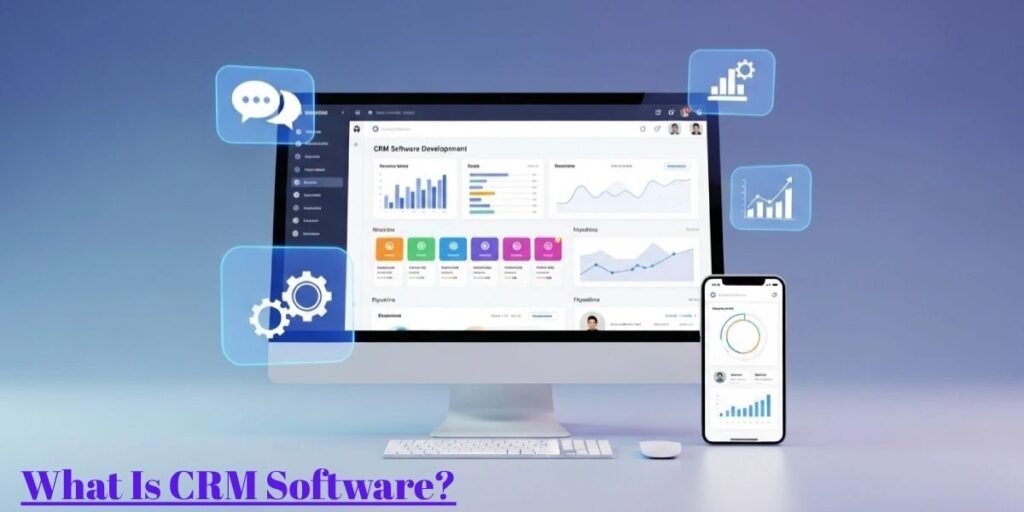
What is CRM Software?
Customer Relationship Management, commonly known as CRM, is a strategic process used by businesses to manage and analyze all interactions with current and potential customers.
While the term CRM refers to the broader strategy of building loyalty, CRM software is the specific technology that allows a company to execute that strategy. It acts as a centralized digital brain, capturing every phone call, email, and purchase.
Instead of having sales data hidden in a salesperson’s private spreadsheet and support tickets buried in an inbox, the software pulls everything into a single unified timeline. This gives every department a 360-degree view of the customer, ensuring that a client never has to repeat their problem to multiple different people.
For a modern business, the software is no longer just an address book. It is a growth engine. It uses data to predict which leads are most likely to buy, identifies where a sales deal is getting stuck, and tracks the overall health of a brand’s reputation.
By moving away from manual entry and toward these integrated systems, companies can scale their operations without losing the personal touch that keeps customers coming back.
Types of CRM Based on Deployment
Choosing how to host your CRM is a foundational decision that impacts your security, budget, and how your team accesses data. There are two primary paths: On-Premise and Cloud-Based.
1. On-Premise CRM
On-premise CRM refers to software that is installed locally on a company’s own servers and managed by their internal IT staff.
This model is often the choice for highly regulated industries such as banking or government agencies where data sovereignty and physical control over the hardware are legal requirements. Because the data never leaves the building, the company has total control over security protocols and customization.
However, this comes with a high upfront cost for hardware and a heavy reliance on an IT team to handle manual updates and bug fixes. It is a heavy-duty solution for businesses that prioritize absolute control over convenience.
2. Cloud-Based CRM (SaaS CRM)
Cloud-based CRM, or Software as a Service (SaaS), is hosted on the vendor’s servers and accessed by users through a web browser or mobile app.
This is the standard for the modern mobile workforce. Whether a sales rep is at a home office in Austin or a coffee shop in London, they can update a lead’s status in real-time. The vendor handles all the security patches, server maintenance, and feature updates, which removes the technical burden from the business owner.
While, the Subscription-based pricing makes it much more accessible for SMEs (small to medium-sized enterprises) that want enterprise-grade tools without a massive initial investment. It is built for agility and rapid scaling.
Why Businesses Use CRM Software
Modern commerce is too fast for sticky notes and memory. Businesses integrate CRM software to solve specific operational headaches that slow down growth.
Keeping Customer Information in One Place
One of the most critical reasons for a business to centralize its data is to eliminate information silos. Without a CRM, marketing knows what an ad cost, sales knows who called, and accounting knows who paid, but none of them are talking to each other.
A CRM stores contact names, social media profiles, past purchase history, and even personal preferences like a client’s birthday or favorite product color. When all this is in one place, the business can stop guessing and start personalizing.
For example, a retail brand can send a targeted discount code for hiking boots only to the customers who have previously bought outdoor gear, rather than spamming their entire list with irrelevant emails.
Managing the Sales Pipeline More Clearly
A sales pipeline is the lifeblood of a company, but it often becomes a black hole where leads disappear. CRM software provides a visual board, often a Kanban-style view that shows exactly how many potential deals are in the Discovery, Negotiation, or Closing stages.
Managers use this to see where the friction is. If 50% of leads drop off during the proposal phase, it is a clear signal that the pricing or the pitch needs work. By having this clarity, sales teams can stop chasing cold leads and focus their energy on the low-hanging fruit that is actually ready to sign a contract.
Building Better Customer Relationships
The R in CRM stands for Relationship, which is something a spreadsheet cannot build. The software helps maintain a human touch by reminding staff to follow up at the right time. If a customer has not ordered in six months, the system can trigger an automated follow-up note.
This proactive communication makes the customer feel valued rather than forgotten. In a competitive market, the winner is usually the company that remembers the small details about their clients.
Saving Time with Automation
Manual data entry is a silent profit killer. CRM software automates the busy work such as sending welcome emails, updating lead scores, or generating weekly sales reports. Instead of spending three hours on Friday afternoon compiling data, a manager can hit one button and see a full dashboard.
This allows the team to spend more time on high-value tasks like closing deals and solving complex customer problems rather than typing names into a database.
Making Smarter Decisions with Data
Gut feelings are dangerous in business. CRM systems provide hard data on what is actually working. You can see which marketing campaigns brought in the highest-spending customers and which salespeople are the most efficient.
By analyzing these patterns, owners can invest their budget into proven channels. For example, if the data shows that 80% of your revenue comes from 20% of your clients, you can pivot your strategy to focus on retaining those high-value accounts.
Key Benefits of CRM Software
Investing in a CRM system provides a competitive edge that goes beyond basic organization. When a business implements this technology properly, it transforms from a reactive company into a proactive powerhouse.
One of the most immediate advantages is the improvement in customer retention. Because the software tracks every complaint and positive interaction, your team can address issues before a client decides to leave.
Furthermore, CRM tools significantly shorten the sales cycle. By identifying which leads are ready to buy and which need more nurturing, your sales team stops wasting hours on dead-end leads.
The software also fosters internal transparency. Since everyone from marketing to support sees the same data, there are no more internal arguments about who promised what to a client. This cross-departmental alignment leads to a more professional brand image.
Finally, the scalability offered by these systems is unmatched. A company can grow from ten customers to ten thousand without needing to reinvent their processes because the digital infrastructure is already built to handle the load.
Types of CRM Based on Functionality
While all CRM tools manage relationships, they often specialize in different areas of business logic. Understanding these three categories helps you pick the right tool for your specific goals.
1. Operational CRM
Operational CRM is designed to streamline the “front-office” business processes. Its primary job is to automate sales, marketing, and service tasks so that the daily grind becomes more efficient.
For example, if a new lead fills out a form on your website, an operational system will automatically assign that lead to a salesperson and send a welcome email. It is the best choice for businesses that want to reduce manual paperwork and ensure no customer inquiry ever falls through the cracks.
2. Analytical CRM
Analytical CRM works behind the scenes to process the massive amounts of data your company collects.
Instead of just storing names, it looks for patterns in customer behavior. It can tell you which products are often bought together or at what time of year a customer is most likely to upgrade their subscription.
This is a vital tool for strategic planners and data analysts who need to understand the “why” behind their sales numbers. It helps in predicting future trends and identifying your most profitable customer segments.
3. Collaborative CRM
Collaborative CRM focuses on breaking down walls between different departments within your company.
It ensures that the marketing team, sales reps, and technical support are all on the same page. If a customer talks to a support agent about a technical bug, the sales rep will see that note before they call to ask for a contract renewal.
This prevents embarrassing situations where a company tries to sell something to an unhappy client. It is perfect for larger organizations where communication across different offices or teams is a challenge.
The Main Technologies Used in Modern CRM Systems
Modern CRM software is no longer a simple database. It is powered by a stack of advanced technologies that allow it to think, learn, and connect.
1. Cloud Computing
Cloud computing is the engine that makes the CRM accessible from anywhere in the world. By storing data on remote servers, it removes the need for expensive hardware in your office. It allows for real-time updates, meaning if a rep in the field closes a deal, the manager back at headquarters sees the revenue hit the dashboard instantly.
2. Artificial Intelligence (AI)
Artificial Intelligence (AI) has turned CRM from a passive tool into an active assistant. It can perform sentiment analysis to tell you if a customer’s email sounds angry or happy.
Artificial intelligence also helps with predictive lead scoring, which ranks your potential customers based on how likely they are to buy. This saves your team from the guesswork of who to call first.
3. Machine Learning
While AI makes decisions, Machine Learning is the process of the system getting smarter over time. The more data you feed your CRM, the better it becomes at predicting outcomes. It learns from past successes and failures to suggest the best next action for a salesperson, such as the perfect time of day to send an invoice.
4. API Integrations
API integrations are the digital bridges that connect your CRM to other tools like Outlook, Gmail, Slack, or QuickBooks. This ensures that data flows naturally between all your apps. You do not have to copy and paste info from an email into the CRM because the API handles the sync automatically, keeping your workflow clean and fast.
5. Big Data & Analytics
Modern systems can process millions of data points in seconds. Big Data allows a CRM to pull in information from social media, news sites, and public records to build a deeper profile of your clients. This level of granularity helps businesses spot micro-trends in the market before their competitors do.
What Modern CRM Software Offers
The evolution of CRM technology has transformed it from a digital Rolodex into a comprehensive business operating system. Modern platforms are built to eliminate the friction between a company and its customers by offering integrated tools that handle everything from the first “hello” to the final invoice.
Unlike older legacy systems that required manual data entry for every minor change, today’s software is designed for speed and connectivity. It focuses on reducing the cognitive load on your employees by presenting only the most relevant data at the right time. This ensures that your team can spend more time on strategy and less time on administrative maintenance.
Contact Management
At its core, contact management is about organizing every detail of a customer’s identity in one searchable database. This goes beyond just a phone number or email address.
A modern CRM stores social media profiles, job titles, and a complete history of every interaction they have had with your brand. It allows a sales rep to see exactly what a customer complained about three years ago or what they praised on LinkedIn last week.
Lead Management
Lead management is the process of capturing potential customers and guiding them through the initial stages of interest. The software automatically pulls leads from your website forms, ads, and emails. It then uses lead scoring to rank these prospects based on their engagement level.
This allows your team to prioritize the people who are ready to talk now, rather than wasting hours calling people who only downloaded a free whitepaper.
Sales Pipeline Tracking
Managing a sales pipeline visually is one of the most effective ways to hit your revenue goals. Most CRM tools use a drag-and-drop board where you can see every active deal as a card. You can move these cards from “Initial Outreach” to “Contract Sent” with a single click.
This high-level view helps managers spot bottlenecks immediately, such as a specific salesperson who is struggling to move deals past the negotiation stage.
Email Integration
Stop jumping between your inbox and your database. Email integration syncs your CRM directly with Gmail or Outlook, so every message you send is automatically logged under the correct contact record. This creates a transparent paper trail for the whole team.
For example, if a primary account manager goes on vacation, anyone else can jump in, read the previous emails, and provide seamless service without asking the customer to repeat themselves.
Marketing Automation
Marketing automation allows you to send the right message at the exact right moment without lifting a finger. You can set up drip campaigns that welcome new subscribers or send “abandoned cart” reminders to shoppers.
The software tracks which links they click and how they behave on your site, allowing the system to pivot the messaging based on their unique interests. This ensures your marketing feels like a conversation rather than a broadcast.
Customer Support Tools
A CRM is just as important for keeping customers as it is for finding them. Integrated support tools allow your team to manage help desk tickets, live chat transcripts, and FAQ requests in one place.
Because the support agent can see the customer’s full purchase history, they can provide much faster and more personalized solutions. This builds long-term loyalty by showing the customer that you truly know who they are and value their time.
Reporting & Dashboards
Data is useless if you cannot understand it. Reporting and dashboards turn thousands of rows of data into easy-to-read charts and graphs. You can track Key Performance Indicators (KPIs) like your customer acquisition cost or your monthly recurring revenue in real-time.
These visual summaries allow business owners to make data-driven pivots quickly, rather than waiting for an end-of-quarter financial review to see if a strategy worked.
Mobile Access
In a world of remote work and field sales, mobile access is a requirement. Most modern CRM platforms offer a dedicated app that gives your team full functionality on their phone or tablet. A sales rep can update a meeting note or check a price list while standing in a client’s lobby.
This on-the-go connectivity ensures that the database is always accurate and that no important detail is forgotten during the drive back to the office.
Current Trends in CRM
The CRM landscape is shifting toward hyper-personalization and deeper intelligence. One major trend is the rise of the Mobile-First CRM, where apps are designed specifically for the thumb-driven experience of field agents rather than just being a “shrunk down” version of the desktop site.
We are also seeing a massive push toward Social CRM, where platforms pull in data from platforms like X (Twitter) and Instagram to help brands manage their public reputation in real-time.
Finally, the move toward No-Code Customization is allowing small business owners to build their own unique workflows without needing to hire an expensive software developer.
Final Clarity
At the end of the day, CRM software is an investment in your company’s memory and efficiency. It is the best option for any business that wants to move away from the chaos of spreadsheets and into a structured, scalable growth model.
While it was once a tool only for massive corporations, the rise of Cloud-Based SaaS has made it perfect for everyone from solo freelancers to mid-sized agencies.
If your goal is to build a strong, data-backed relationship with your audience while automating your most tedious tasks, a CRM is the single most important piece of technology you can adopt.
Frequently Asked Questions (FAQs)
What is CRM (Customer Relationship Management)?
CRM is the overall strategy and philosophy a business uses to build long-term loyalty and manage interactions with its audience. It focuses on understanding customer needs to improve satisfaction and increase profit.
What is CRM software?
CRM software is the actual digital tool or platform used to execute a CRM strategy. It centralizes customer data, automates sales tasks, and provides a shared workspace for your entire team.
Which types of businesses can use CRM software?
Almost any business can benefit, including B2B companies with long sales cycles, e-commerce brands tracking retail habits, and service providers like law firms or real estate agencies managing client files.
Can I use CRM if I only have a small team?
Yes, and you probably should. For small teams, a CRM acts like an extra employee by handling automated follow-ups and keeping your limited resources focused on the most profitable leads.
How much does CRM software usually cost?
Pricing varies widely. Many cloud providers offer free tiers for very small teams, while professional versions typically range from $15 to $150 per user per month depending on the complexity of features.
How does CRM help sales teams close more deals?
It keeps sales reps organized by showing them exactly who to call and when. By providing a full history of the prospect, the rep can tailor their pitch to solve the specific problems the customer is facing.
Can CRM software automate repetitive tasks like emails?
Absolutely. You can set up automated workflows that trigger emails based on specific actions, such as a lead signing up for a webinar or a customer’s subscription nearing its expiration date.
How secure is customer data in cloud-based CRM?
Modern cloud providers use enterprise-grade encryption and frequent backups. Most are compliant with global standards like GDPR or SOC 2, which often makes them more secure than a standard private office server.