Most businesses do not struggle to find customers. Instead, they struggle to manage them consistently as they grow. This is the exact point where a cloud-based CRM ceases to be just a tool and becomes the central nervous system of your entire revenue process.
During my time reviewing enterprise software for SaaS Century, I have seen countless companies hit a growth ceiling. This usually happens because their customer data was trapped in static spreadsheets or scattered across individual employee inboxes.
A cloud-based CRM (Customer Relationship Management) system is software that hosts your customer data, sales pipelines, and communication history on a vendor’s secure servers. You access this data via the internet from any location.
In 2026, the CRM market is projected to reach over 126 billion dollars. This is not surprising given that 91% of companies with more than 11 employees already utilize these systems. Data from top industry analysts suggests that businesses using a CRM experience an average conversion rate increase of 300%.
On SaaS Century, we do not just list features. We deconstruct how these systems actually impact your bottom line. Choosing the right cloud-based CRM software is a strategic move that dictates how you scale.
The following guide is designed to move past the marketing fluff. It provides a clear, evidence-based roadmap for selecting a system that fits your operational reality.
In this guide, you will learn:
- The mechanical definition of a cloud-based CRM system.
- Specific ways a CRM streamlines daily operations in the current market.
- Why the industry has moved from On-Premise to cloud crm models.
- A breakdown of the five features that actually move the needle for scaling businesses.
- A professional framework for matching crm software solutions to your team’s specific needs.
What Is Cloud-Based CRM?
At its core, a cloud based crm is a unified database that tracks every interaction a prospect or customer has with your brand.
Unlike legacy systems that required expensive local servers and manual updates, a cloud-based model is delivered as a service. This means your data is stored in a secure, remote environment maintained by the provider.
The technical shift to the cloud has democratized high-level technology. Previously, only massive corporations could afford robust customer relationship software. Today, a three-person startup can access the same level of automation and data security as a Fortune 500 company.
The SaaS (Software as a Service) aspect ensures that as your business adds more users or data, the system scales automatically.
You never have to buy a single piece of new hardware to increase your storage capacity. This flexibility is what allows modern firms to stay agile in a fast-paced economy.
How Cloud CRM Works In Daily Business Operations
In a high-performing business, a cloud crm is not a passive filing cabinet. It is an active participant in daily tasks. It works by capturing data from various touchpoints like emails, website forms, and phone calls. It then organizes this data into a visual timeline.
When a salesperson starts their day, the CRM does not just show a list of names. It shows a prioritized list of actions based on real-time lead behavior. If a prospect opens a proposal three times in one morning, the system flags them for an immediate follow-up.
Current data shows that 65% of companies using a mobile-optimized cloud based crm software achieve their sales quotas.
This is significantly higher than the 22% of those using non-mobile systems. Daily operations are no longer tethered to a desk. A rep can update a deal status while walking out of a meeting, and the marketing team back at the office sees that change instantly.
Why More Businesses Are Moving To Cloud CRM
The migration toward cloud crm is nearly complete. Recent studies show that 87% of all CRM systems are now hosted in the cloud. The reason for this mass movement is simple. Traditional on-premise systems are too slow and expensive for the modern economy.
A legacy system often becomes a data graveyard because it is too difficult to update or integrate with other tools. Businesses are choosing cloud solutions because they offer rapid implementation.
You can launch a fully functional crm management software in days, whereas on-premise setups often take months of IT labor.
The economic benefits are also undeniable. By eliminating server maintenance and hardware upgrades, the cloud model provides a much higher ROI (Return on Investment).
Furthermore, it enables real-time collaboration. In a remote or hybrid work environment, having a single source of truth that updates for everyone simultaneously is the only way to maintain brand consistency.
Features That Matter Most In A Cloud CRM
When you are evaluating crm software solutions, it is easy to get distracted by flashy features. To get a real return on your investment, you must focus on the core functionalities that directly impact productivity.
Pipeline Management
This is the heart of your sales engine. A high-quality cloud crm provides a visual, drag-and-drop board. This board shows exactly where every dollar is in your sales cycle. This transparency allows managers to identify bottlenecks before they turn into a revenue crisis.
Automation
Expert-level CRM usage involves automating repetitive tasks. This includes:
- Automatically assigning new leads to the right rep based on their territory.
- Sending personalized follow-up emails after a week of inactivity.
- Triggering a notification to the billing team when a deal is marked as won. Automation can reduce an employee’s administrative workload by 5 to 10 hours per week.
Contact And Activity Tracking
Your customer relationship tools should provide a 360-degree view of the customer. This means that when a client calls, any team member can see their entire history.
Every email sent, every link clicked, and every past purchase is visible. This context is what transforms a generic sales call into a personalized relationship.
Reporting And Forecasting
You cannot manage what you cannot measure. Advanced crm management software uses your historical data to predict future revenue with high accuracy. This is vital for budget planning and understanding which marketing channels are actually driving the highest quality sales.
Integrations
A CRM is only as powerful as the ecosystem it sits in. It must integrate seamlessly with your email like Gmail or Outlook. It should also connect to your communication tools like Slack and your marketing platforms. A siloed CRM is a liability, but an integrated one is a force multiplier.
How To Choose The Right CRM For Your Business
Choosing a cloud based crm is not about finding the most famous tool. It is about finding the one that fits your specific Sales Motion. I have seen companies spend hundreds of dollars per user on a complex system that their team ended up hating. This leads to zero adoption and wasted capital.
Match The Tool To Your Team Size
Small teams need a CRM that requires zero maintenance and has an intuitive interface. As you grow into a mid-market or enterprise company, your needs shift. You will eventually require advanced permissions and the ability to handle massive amounts of data without any performance lag.
Define Your Main Use Case
Are you a sales-heavy organization that needs aggressive pipeline tracking? Or are you a service-based business that needs to track project delivery after the sale?
Some cloud crm tools are built for high-velocity inside sales. Others are designed for long-term account management. Identify your primary goal before you start shopping.
Focus On Usability
If the user interface is cluttered, your sales reps will find ways to avoid using it. Look for a clean design and a mobile app that is just as powerful as the desktop version. High adoption rates are the only way to ensure the data in your CRM is actually accurate and useful.
Think In Terms Of Workflows
Instead of asking what a tool can do, ask how the tool handles your specific sales process. A real expert looks for a tool that mirrors how their team already works. If you have to change your successful business processes just to fit into a rigid software structure, you are looking at the wrong solution.
Best Cloud-Based CRM Tools To Consider
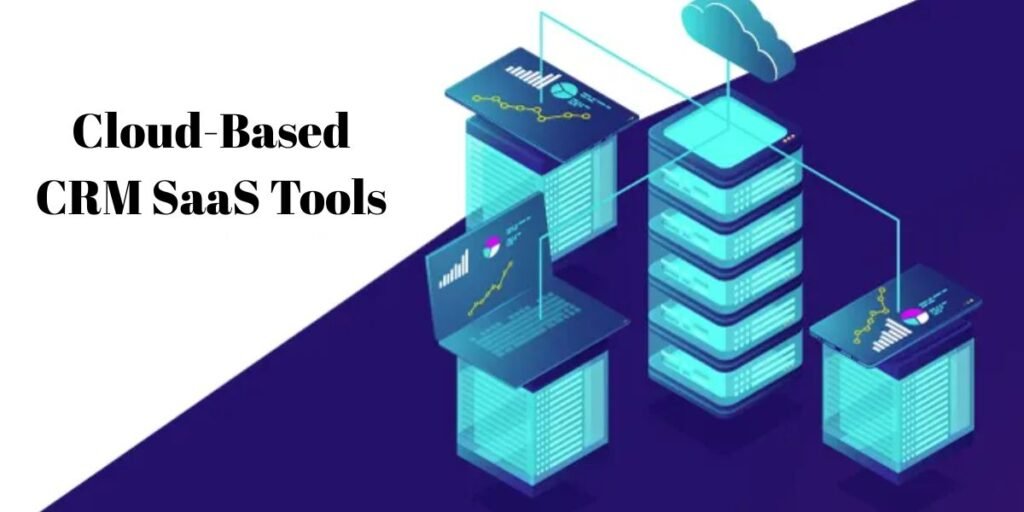
Choosing from the vast array of cloud-based CRM SaaS tools requires looking past the brand name to see how the software actually behaves in the hands of your sales team.
At SaaS Century, we have evaluated the top contenders for 2026 based on their ability to solve specific business problems rather than just checking boxes on a feature list.
Pipedrive
This platform is widely considered the gold standard for sales-focused teams who prioritize a visual workflow. Unlike many systems that feel like complex databases, Pipedrive is built around a lean, activity-based selling methodology.
- The Standout Advantage: Its drag-and-drop interface is remarkably intuitive, reducing the “training fatigue” often associated with new software.
- Best For: Small to mid-sized businesses that need to manage high-velocity sales pipelines without unnecessary administrative bloat.
Pricing (Billed Annually):
- Essential: $14.90/user/month
- Advanced: $27.90/user/month
- Professional: $49.90/user/month
- Ultimate: $79.90/user/month
Freshsales
Developed by Freshworks, this tool is the top choice for businesses that want built-in automation and communication. It eliminates the need for separate phone or email tracking apps by embedding these features directly into the lead profile.
- The Standout Advantage: Its Freddy AI assistant provides predictive lead scoring, which helps reps focus on the deals most likely to close.
- Best For: Fast-moving teams that want a sophisticated, AI-driven experience without moving into the price bracket of enterprise giants.
Pricing (Billed Annually):
- Growth: $9/user/month (Free for up to 3 users)
- Pro: $39/user/month
- Enterprise: $59/user/month
Zoho CRM
For the growing business on a budget, Zoho CRM offers perhaps the most comprehensive feature set per dollar in the industry. It is part of a massive ecosystem, making it a powerful choice if you already use other Zoho products for finance or marketing.
- The Standout Advantage: The level of customization available allows you to tailor the system to almost any industry-specific process.
- Best For: Companies that plan to scale and need a platform that can grow from a simple setup into a highly complex, customized engine.
Pricing (Billed Annually):
- Standard: $14/user/month
- Professional: $23/user/month
- Enterprise: $40/user/month
- Ultimate: $52/user/month
Close
Close is specifically engineered for remote sales teams and inside sales professionals who spend their entire day communicating with prospects. It is a productivity powerhouse that combines calling, SMS, and email into a single, unified view.
- The Standout Advantage: Its built-in Power Dialer allows reps to move through lead lists at twice the speed of manual dialing.
- Best For: Startups and remote teams whose primary goal is high-volume outreach and lead qualification.
Pricing (Billed Annually):
- Solo: $9/month (Limited to 1 user)
- Essentials: $35/user/month
- Growth: $99/user/month (Includes Power Dialer)
- Scale: $139/user/month (Includes Predictive Dialer)
Insightly
This tool stands out by bridging the gap between sales and project delivery. Most CRMs stop once the deal is won, but Insightly includes built-in project tracking to ensure a smooth handoff to the operations team.
- The Standout Advantage: Its ability to link contacts and projects helps service-based businesses maintain a complete history of the relationship after the initial sale.
- Best For: Marketing agencies, IT services, and construction firms where the real work begins after the contract is signed.
Pricing (Billed Annually):
- Plus: $29/user/month (Basic CRM)
- Professional: $49/user/month (Adds automation)
- Enterprise: $99/user/month (Full customization)
Common CRM Mistakes That Slow Business Growth
A cloud based crm software implementation can fail even if you choose the best SaaS tool on the market. The most frequent error is treating the CRM as a simple storage folder for data rather than an active system for managing revenue.
When teams use the system as a digital filing cabinet, they miss out on the automation and insights that actually drive growth.
Another significant roadblock is over-complicating the initial setup. I have seen managers add dozens of mandatory fields that reps are forced to fill out, which quickly leads to data entry burnout.
This frustration causes users to stop using the system entirely, resulting in inaccurate reporting. It is far more effective to start with a lean process and add complexity only when the data proves it is necessary.
Finally, many businesses ignore the importance of clean data during the migration phase. Moving messy, outdated information from an old spreadsheet into a shiny new cloud crm just gives you an expensive version of your old problem.
You must audit your contacts and standardize your naming conventions before the first record is ever uploaded.
Where The U.S. CRM Market Is Moving
The landscape of customer relationship tools in the United States is shifting toward what experts call Agentic AI. In 2026, we are moving past systems that just give you “insights.” The new generation of CRM tools can actually execute tasks autonomously.
For example, a modern CRM might not just tell you a lead is hot, it might automatically draft a personalized follow-up based on the prospect’s LinkedIn activity and schedule a meeting without a human ever touching a keyboard.
Simplicity is also making a massive comeback. After a decade of feature bloat, American businesses are gravitating back toward usability and interoperability.
A tool that connects perfectly with your Slack, email, and billing software is now valued more highly than a standalone platform that tries to do everything but doesn’t integrate well. The focus has moved from how many features can we get to how quickly can my team adopt this.
Final Thoughts
A cloud-based CRM is far more than a software purchase. It is a commitment to a structured way of doing business. The real value does not come from the software itself, but from the consistency it brings to your sales process and the visibility it gives your leadership team.
The most successful companies are those that match the tool to their team’s actual behavior. If you choose a system that your reps enjoy using, you will secure the accurate data you need to make informed decisions.
When your crm software solutions align with your daily workflows, the system stops being an administrative burden and becomes the engine that powers your long-term growth.
Frequently Asked Questions
What Is A Cloud-Based CRM?
It is a centralized platform that stores your customer data and sales activities online. This allows your team to access real-time information from any device with an internet connection, ensuring everyone is working from the same data set.
Is Cloud CRM Better Than Traditional CRM?
For the vast majority of modern businesses, yes. Cloud-based systems are faster to deploy, require zero local IT maintenance, and offer a much lower entry cost through subscription pricing compared to the massive upfront investment of on-premise servers.
Which CRM Is Best For Small Businesses?
Tools like Pipedrive and Freshsales are excellent starting points because they prioritize a clean user interface. They offer the essential features for pipeline management without the overwhelming complexity of enterprise-level platforms.
How Much Does A Cloud CRM Cost?
In 2026, pricing typically ranges from 12 to 200 dollars per user per month. While entry-level tiers are affordable, keep in mind that advanced features like AI-assisted lead scoring or custom reporting usually require mid-to-high tier plans.
How Long Does It Take To Implement A CRM?
While you can technically sign up for a cloud based crm in minutes, a professional implementation takes time. For a small to mid-sized business, expect the process (including data cleaning, workflow mapping, and team training) to take anywhere from 3 to 4 months.