Keyword density stopped being a serious ranking lever years ago. What wins now is topical depth, accuracy you can verify, and pages that answer the searcher better than anything else on page one. Google says as much in its guidance on people-first content, and the sites that recovered from recent core updates were usually the ones that took that advice literally.
Content optimization tools sit between research and the final edit. They pull apart the pages that already rank, map the entities and subtopics those pages cover, and show a writer where a draft is thin. Used well, they replace guesswork with evidence. Used badly, they produce bloated articles stuffed with terms nobody asked for.
The category also changed shape in 2026. Almost every serious platform on this list now tracks AI visibility, meaning how often a brand or URL surfaces inside ChatGPT, Gemini, Perplexity, or Google’s own AI Overviews and AI Mode. Ownership changed too. Adobe now owns Semrush, Positive Group owns Surfer, and Siteimprove owns MarketMuse, so the roadmaps of three major tools now answer to larger parents.
Picking the right software comes down to workflow. Some tools score drafts in real time inside your editor. Others plan topic architecture across a whole site, and a few specialize in granular on-page math. Team size and publishing volume matter just as much as features.
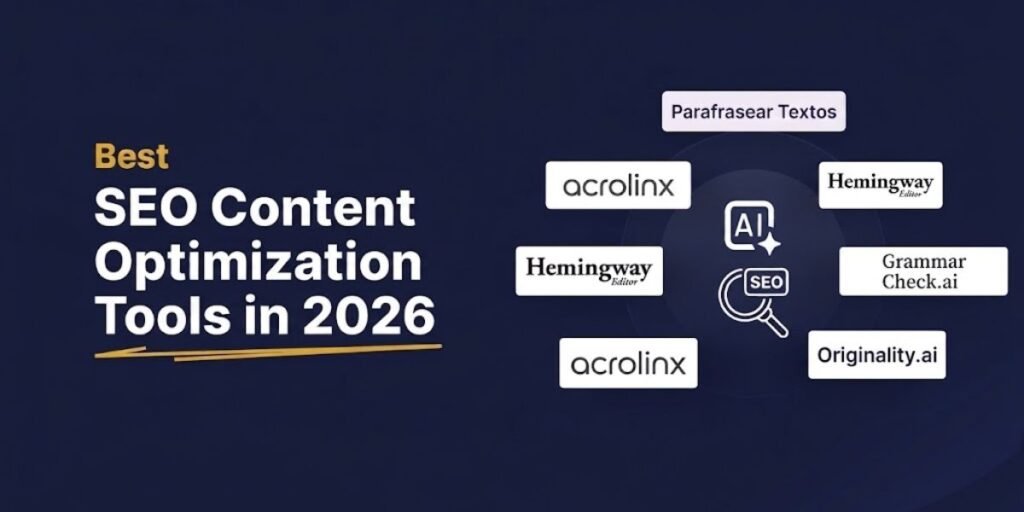
10 Best SEO Content Optimization Tools
1. Surfer SEO: Best for Real-Time Content Optimization
Surfer is the tool most writers picture when they hear the phrase content score. Its Content Editor grades a draft live, out of 100, against the pages ranking for your target query. It tracks term usage, NLP entities, heading structure, word count, and image counts as you type, and on its pricing page Surfer says its guidelines draw on over 500 web and AI signals.
The SERP Analyzer is where experienced users earn their money. You can switch individual competitors off the baseline, which matters when Wikipedia, Reddit, or a giant marketplace is sitting in the top five for reasons that have nothing to do with on-page work. Remove those outliers and the targets become far more realistic. The Content Audit feature applies the same comparison to pages that are already live, flagging missing headings and terms on posts that have started to slip.
One practical warning. The score rewards term coverage, and chasing a 90+ by forcing every suggested phrase into the copy is the fastest way to make an article read as if a machine wrote it. In our own refresh work, drafts landing in the high 70s with clean prose routinely outperform over-optimized versions. Treat the number as a coverage check, never as the goal.
The company itself changed hands recently. Surfer, founded in Wrocław, Poland in 2017, was acquired by French technology group Positive in October 2025, with co-founder Lucjan Suski staying on as CEO. Since then, the product has leaned hard into AI search, adding an AI Tracker that monitors brand mentions across ChatGPT, Perplexity, Gemini, AI Overviews, and AI Mode.
Current pricing on annual billing, per the official Surfer pricing page:
- Discovery Plan: Costs $49 per month billed annually for 120 documents, 10 tracked pages, and 1 user seat.
- Standard Plan: Costs $99 per month billed annually for 360 documents, 25 ChatGPT prompts tracked weekly, and 3 user seats.
- Pro Plan: Costs $182 per month billed annually for 360 documents, 50 prompts tracked daily across 5 AI models, and 5 user seats.
- Peace of Mind Plan: Costs $299 per month billed annually for unlimited documents under fair use, API access, and 10 user seats.
A standalone AI Search Analytics plan costs $82 per month billed annually for teams that only want visibility tracking, and Enterprise is quoted on request. Surfer states that annual billing saves up to 17% compared with monthly payments, and it does not list a permanent free tier.
2. Clearscope: Best for Content Relevance and Editorial Quality
Clearscope has always been the editor’s tool. Where Surfer gives you a numeric score and a wall of metrics, Clearscope gives you a simple letter grade and a short list of relevant terms. That restraint is deliberate, and it is why so many publishing teams with strict style guides prefer it.
The term recommendations lean toward relevance rather than raw frequency, which makes it easier to cover a subtopic properly without warping sentences around a keyword. Writers can work inside the Clearscope canvas or through its Google Docs and WordPress integrations, so nobody has to leave their normal drafting environment.
In 2026 Clearscope repositioned itself as a discoverability platform for both SEO and AI search. Every plan now includes query tracking across ChatGPT and Gemini, brand visibility reporting, and query fan-out data that shows the background searches AI platforms run when assembling an answer. For content strategists, that fan-out view is one of the more genuinely useful additions any tool shipped this year.
The trade-off is scope. Clearscope still skips technical crawling, backlink data, and site audits, so teams that need those will pair it with a broader suite.
Pricing from the Clearscope pricing page is straightforward. The Essentials plan costs $129 per month with 50 tracked queries, 50 pages, 20 monthly Topic Explorations, and 20 monthly Drafts. The Business plan costs $399 per month with 300 tracked queries, 300 pages, 50 Topic Explorations, the same 20 Drafts, and a dedicated account manager. The Enterprise plan is custom and adds SSO and crawler whitelisting. Every plan includes unlimited users, and Clearscope now offers a 14-day free trial, a change from the demo-only approach it used for years. Extra Drafts cost $50 on Essentials and $20 on Business.
3. Semrush SEO Writing Assistant: Best for SEO and Readability Checks
The Semrush SEO Writing Assistant works as an add-on for Google Docs, WordPress, and Microsoft Word, and it grades a draft across four areas at once: SEO, readability, tone of voice, and originality.
On the SEO side it checks target keyword usage alongside semantic terms pulled from Semrush’s keyword database. The readability panel looks at sentence length, word complexity, and overall difficulty against the top ten results. The tone checker is quietly the most useful piece for agencies, because it flags paragraphs that drift too formal or too casual, which keeps a multi-writer blog sounding like one publication.
Its real strength is the connection to the rest of Semrush. Keyword research, topic research, and the brief all flow into the draft without exporting anything. On its own, though, it is a fairly basic editor, and its value depends on already paying for the wider platform.
The ownership story matters here. Adobe completed its acquisition of Semrush on April 28, 2026, a deal valued at roughly $1.9 billion when it was announced in November 2025. Semrush now describes itself as an Adobe company with more than 28 million users, and its messaging has shifted toward generative engine optimization and what it calls agentic search optimization. Expect tighter links to Adobe Experience Manager over the next year.
Pricing has also been restructured. According to the Semrush pricing page, the classic SEO plan costs $139 per month or $117.33 per month billed annually. The newer Semrush One options bundle the SEO Toolkit with the AI Visibility Toolkit:
- Semrush One Starter: Costs $199 per month or $165.17 per month billed annually.
- Semrush One Pro+: Costs $299 per month or $248.17 per month billed annually.
- Semrush One Advanced: Costs $549 per month or $455.67 per month billed annually.
The Content Toolkit, which houses the SEO Writing Assistant and the content brief workflow, is sold separately at $60 per month. Free accounts remain available, but Semrush’s knowledge base caps them at 10 total requests per day across all reports, which is enough to test the interface and little else.
4. Frase: Best for Content Briefs and SERP Research
Frase built its reputation on briefs, and that is still where it shines. Enter a query, and it pulls the headings, questions, and key points from the top results, so a strategist can assemble a usable brief in minutes rather than an afternoon.
The outline builder lets you drag competitor headings straight into your own structure, then the editor scores the finished draft against target topics. Research, outline, and optimization live in one place, which cuts out the copy-and-paste shuffle between tools.
The platform has grown well beyond briefs in the last year. Frase now scores drafts for both SEO and GEO, tracks AI Visibility on ChatGPT and Google AI, and publishes directly to WordPress, Webflow, Sanity, or Wix. Its Content Guard feature watches published pages for ranking decay and drafts the fix for your approval. It also runs inside Claude, Cursor, and other AI tools through an MCP server and CLI on every plan.
Because Frase models the existing SERP, it is weakest on brand-new topics where few strong pages exist. Emerging subjects still need manual research.
Current pricing tiers from the official Frase pricing page:
- Starter Plan: Costs $49 per month or $39 per month billed annually for 10 articles per month, 1 seat, and 1 site.
- Professional Plan: Costs $129 per month or $103 per month billed annually for 40 articles per month, 3 seats, and 5 sites.
- Scale Plan: Costs $299 per month or $239 per month billed annually for 100 articles per month, 5 seats, and 10 domains.
Yearly billing takes 20% off. Frase offers a 7-day free trial with no credit card required, which unlocks Professional features capped at 5 articles. A nice detail for budget control: Starter simply stops at its monthly limits rather than billing overages.
5. MarketMuse: Best for Content Planning and Topic Gaps
MarketMuse thinks in topics, not pages. Instead of comparing one draft against one SERP, it builds a topic model for a subject, maps the related subtopics and how they connect, then measures how thoroughly your whole site covers that territory. The underlying approach is protected by U.S. Patent 10,409,875.
Its inventory module scans your published pages and assigns metrics that generic tools cannot. Personalized Difficulty estimates how hard a topic is for your site specifically, based on existing coverage and performance. Topic Authority shows where you are already strong, and Competitive Advantage measures the gap between general difficulty and your personalized score. For deciding what to write next, that combination remains hard to beat.
Briefs are equally detailed. Higher tiers unlock nine brief types, including comparison, how-to, listicle, product review, and local, each specifying subtopics, questions, and internal link targets before a writer starts.
MarketMuse has belonged to Danish digital governance company Siteimprove since Siteimprove announced the acquisition on October 8, 2024. Co-founder Jeff Coyle stayed on, and the product is gradually being folded into Siteimprove’s wider SEO and accessibility suite.
This is not a casual blogger’s tool. The learning curve is real, and it pays off for teams managing hundreds or thousands of URLs.
The MarketMuse pricing page no longer lists dollar figures directly. It shows a Free plan with 10 queries per month and 1 user, followed by Optimize (100 tracked topics, 5 briefs per month), Research (1,000 tracked topics, 10 briefs, 3 users, unlimited queries), and Strategy (10,000 tracked topics, 20 briefs, 5 users), each sold through a demo. Capterra lists paid plans starting at $99 per month, but expect to confirm the exact quote with sales.
6. Ahrefs Content Helper: Best for SEO Content Research and Optimization
Ahrefs approaches content from the data side. Its AI Content Helper sits on top of the same crawler that powers Site Explorer, which Ahrefs describes as the second-most active on the web, backed by more than 10 years of historical data.
Rather than handing writers a long term list, the tool focuses on search intent. It analyzes the top-ranking pages, identifies the subtopics and angles they share, and grades how well your draft covers them. Because everything connects to Keywords Explorer and Site Explorer, you get trustworthy volume, difficulty, and traffic estimates alongside the content guidance, which most standalone editors cannot match.
Writers who want a pure, distraction-free scoring editor may find dedicated tools more comfortable. The Content Helper earns its place when the team already lives in Ahrefs for keyword and link research.
Worth knowing before you budget: the Content Helper is not bundled into the core plans. It ships as part of the Content Kit add-on, starting from $99 per month, together with the AI Content Grader.
Base plans on the Ahrefs pricing page run as follows:
- Lite Plan: Costs $129 per month for 750 tracked keywords, 6 months of history, and 1,000 credits per user.
- Standard Plan: Costs $249 per month for 2,000 tracked keywords, 2 years of history, and unlimited credits.
- Advanced Plan: Costs $449 per month for 5,000 tracked keywords and 5 years of history.
- Enterprise Plan: Costs $1,499 per month with an annual commitment required, unlimited history, and SSO.
Annual billing saves up to 17%. A newer Starter plan at $29 per month covers basic keyword and competitor research. Ahrefs states plainly that it never runs discounts or free trials, but site owners can verify their domain in Ahrefs Free for limited Site Explorer and Site Audit access.
7. Dashword: Best for Content Briefs and Straightforward Optimization
Dashword is the opposite of an enterprise suite, and that is the appeal. It strips the workflow down to three steps: research the SERP, build the brief, score the draft.
Generated briefs pull common headings, important terms, and frequently asked questions from the ranking pages. The editor shows a single content score that rises as you close gaps, without dozens of competing metrics. It also has a Google Docs add-on and a content monitoring feature that flags when published pages start losing ground.
Dashword has quietly modernized. The API and an MCP server are now included on every plan, so Claude, Cursor, or a custom script can create reports and score drafts directly, and Dashword states that scoring through the API is free and unlimited. Only new reports consume credits.
The limits are what you would expect from a lean tool. There are no sitewide topic models, no backlink data, and fewer customization options than POP or MarketMuse.
Pricing has risen since many older reviews were written. Per the Dashword pricing page:
- Startup Plan: Costs $99 per month for 30 content reports, 5 user seats, briefs, and an AI writer allowance of 100,000 words.
- Business Plan: Starts at $349 per month for 100 reports, 10 seats, bulk report creation, and SSO.
Your first report is free with no credit card required, and annual billing earns a 20% discount on request.
8. PageOptimizer Pro: Best for Detailed On-Page SEO Recommendations
PageOptimizer Pro, better known as POP, was built by SEO tester Kyle Roof, and its recommendations are based on the SEO tests the POP team regularly runs on Google rather than simple page-one averages, which is the tool’s core selling point.
POP is precise about placement. It tells you how many times your exact keyword should appear and where: title tag, H1, H2 to H4 subheadings, body copy, image alt text, and anchor text. It recommends variation terms, reconciles LSI, NLP, and TF-IDF signals, sets a target word count from competitor data, and even surfaces the schema types top competitors use. A separate E-E-A-T analysis compares trust signals on your page against the leaders.
You can hand-pick the competitors POP measures against, which lets you exclude sites ranking on domain strength alone. That control is invaluable on local and affiliate SERPs.
The interface is dense, and writers without on-page experience may find it overwhelming. The best results come from an SEO who applies the structural targets and then lets a good writer smooth the prose. POP currently supports 61 languages.
Plans on the official POP pricing page include:
- Basic Plan: Costs $40 per month billed monthly for 20 credits. Report runs consume these credits.
- Unlimited Plan: Costs $72 per month or $62 per month billed annually for unlimited POP reports under fair use and 50 credits.
- Teams Plan: Costs $143 per month or $119 per month billed annually for unlimited reports, 120 credits, and starts at 5 sub-accounts.
Rather than a free trial, POP offers a 7-day refund guarantee on every plan, along with a no-signup demo on its site.
9. NeuronWriter: Best for Budget-Friendly Content Optimization
NeuronWriter delivers most of what the premium editors do at a fraction of the price. It extracts key terms, competitor headings, and media patterns using NLP, then scores your draft live with recommendations split into basic and extended terms.
The editor also bundles a content planner, AI-suggested content ideas based on SERP intent, plagiarism checks on higher tiers, and Google Search Console, WordPress, and Shopify integrations. The 2026 additions are an AI Visibility module covering Google AI Overviews, AI Mode, ChatGPT, and Perplexity, plus API and MCP access on the Gold plan and above.
The interface is less polished than Surfer or Clearscope, and processing occasionally lags on very competitive queries. For independent site owners, affiliates, and small agencies watching costs, those are easy compromises. NeuronWriter is developed by Conti sp. z o.o. in Zamość, Poland, as part of the Contadu content intelligence platform, and the company reports more than 350,000 marketers using the tool.
Current pricing options from the NeuronWriter pricing page:
- Bronze Plan: Costs $23 per month for 2 projects and 25 documents.
- Silver Plan: Costs $45 per month for 5 projects and 50 documents.
- Gold Plan: Costs $69 per month for 10 projects, 75 documents, and unlimited team members.
- Platinum Plan: Costs $93 per month for 25 projects and 100 documents.
- Diamond Plan: Costs $117 per month for 50 projects and 150 documents.
Annual billing gives 2 months free. New accounts get a 7-day free trial on Gold plan terms, and NeuronWriter offers a 30-day refund on the first plan purchased.
10. Google Search Console: Best for Improving Existing Content
Every tool above estimates. Google Search Console reports what actually happened. Clicks, impressions, click-through rate, and average position come straight from Google, with up to 16 months of history, and no third-party model can replace that.
The most reliable content win in GSC remains the striking-distance query. Filter the Performance report for queries sitting roughly in positions 8 to 20 with healthy impressions and weak clicks, then work those terms naturally into the relevant page and tighten the title tag. The same report exposes content decay: compare the last three months against the prior period and sort pages by lost clicks to build your refresh queue.
Google has added genuinely useful features over the past year:
- Query groups, launched in October 2025, use AI to cluster similar queries in Search Console Insights, showing which intent groups are trending up or down.
- The branded queries filter, announced on November 20, 2025 and expanded to all eligible sites in March 2026, separates brand demand from true discovery traffic without regex.
- Search Generative AI performance reports, launched on June 3, 2026, finally show how often your URLs appear inside AI Overviews and AI Mode, broken down by page, country, device, and date.
That last report changes how audits work. For the first time, you can see which pages Google’s AI features are pulling from without relying on third-party sampling. It currently reports impressions rather than clicks, so pair it with the main Performance report and your analytics.
What GSC cannot do is score a draft, extract competitor terms, or tell you which subtopics a page is missing. Its job is diagnosis. Use it to decide what to fix, then open a dedicated editor to fix it. Google Search Console is completely free for any verified site owner, with no paid tiers.
If you want to explore more ways to improve your content strategy, choose the right AI writing tools, and build effective content creation workflows, these articles offer further insights: