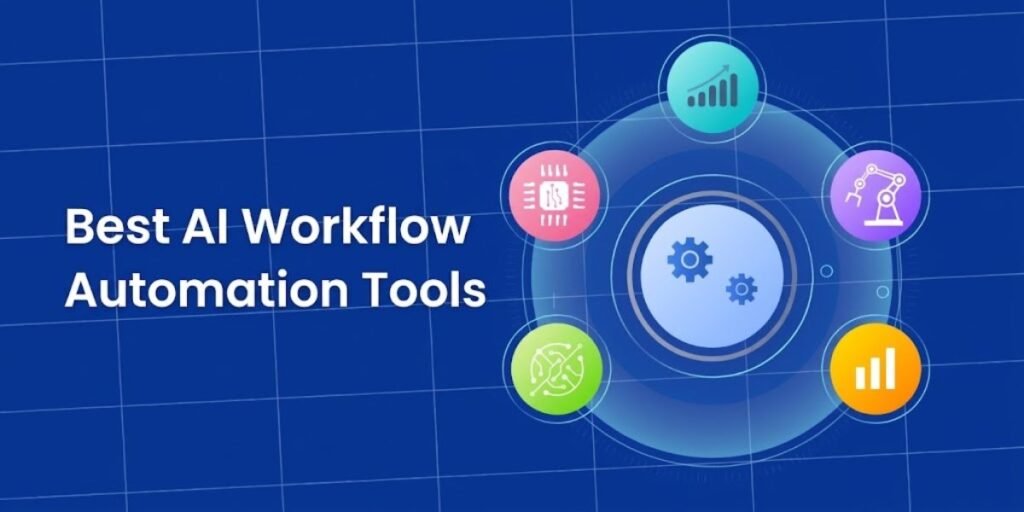
Modern operational efficiency now depends on intelligent automation, not simple data transfer between apps. Organizations across nearly every industry are moving away from static, rule-based triggers toward dynamic workflow systems built on artificial intelligence. Gartner projects that 40% of enterprise applications will feature task-specific AI agents by the end of 2026, up from less than 5% in 2025, a shift senior analyst Anushree Verma describes as agents progressing from task-specific tools to agentic ecosystems. Modern platforms no longer just route information between systems. They read unstructured text, weigh context, make judgment calls, and carry out multi-step business logic with minimal human input.
Choosing the right tool starts with an honest read of your team’s technical depth, budget, and operational goals. Simple no-code connectors handle basic task routing well, while developer-first environments and enterprise orchestration engines are built for heavier data pipelines and locked-down corporate infrastructure. McKinsey’s August 2026 State of AI report found that nearly nine in ten organizations now deploy AI in at least one business function, and 44% report scaling it organization-wide, up from 38% a year earlier. This guide walks through the ten platforms worth evaluating right now, based on current pricing, verified features, and where each one earns or loses its keep in production.
10 Best AI Workflow Automation Tools in 2026
1. Zapier
Zapier is still the reference point for accessible cloud automation, now connecting to more than 9,000 apps, up from the 7,000-plus figure the platform cited in earlier years. Its AI layer has changed shape recently too. What used to be marketed as Zapier Central was restructured in May 2025 into Zapier Agents, which dropped the old behaviors model in favor of individual agents that can be grouped into pods for easier monitoring. Alongside Agents, Zapier Canvas lets teams sketch out a workflow visually and have AI turn that diagram into a working system, while AI by Zapier lets users drop AI steps powered by OpenAI, Anthropic, or Google models directly into any multi-step Zap.
The platform’s real strength is stitching together cross-application business processes without needing a developer on staff. Non-technical teams lean on it for lead routing, onboarding sequences, social publishing calendars, and instant Slack or email alerts. Zapier Tables and Interfaces round out the offering, letting builders spin up lightweight internal databases and front-end forms without a third-party database tool.
Costs need active management as usage grows, since Zapier bills by the task and every action step consumes one. According to Zapier’s own pricing page, the Free plan includes 100 tasks a month with two-step Zaps, the Professional plan starts at $19.99 a month on annual billing and scales with the task tier selected, and the Team plan starts at $69 a month for 25 users with shared workflows and SSO. Enterprise pricing, with advanced admin controls and a dedicated account manager, is quoted directly by Zapier’s sales team.
2. Gumloop
Gumloop occupies a different niche entirely: a visual programming canvas purpose-built for data-heavy workflows and autonomous AI decision-making. Rather than treating integrations as the main event, Gumloop centers its design on large language model orchestration, web scraping nodes, document extraction, and custom Python execution steps that can chew through long PDFs and messy web data that a standard trigger-action tool simply chokes on.
Teams use it to build automated lead research pipelines, synthesize regulatory reports, parse unstructured customer feedback, and run multi-page scraping jobs that would otherwise eat an analyst’s whole afternoon. Its node editor lets builders combine browser automation, custom prompts, vector operations, and third-party APIs into loops resilient enough to handle unpredictable inputs without falling over.
Gumloop’s own pricing page lists the Pro plan at $37 a month for 20,000 monthly credits, unlimited agents and seats, more than 35 AI models with bring-your-own-key support, one hosted MCP server, and five concurrent workflow runs, plus an 8% orchestration fee on top of credit usage. The Free plan still offers 1,000 credits a month for testing node logic. Enterprise buyers get custom credit allocations, dedicated Slack support, and a full SCIM and SAML admin suite.
3. n8n
n8n is a fair-code automation platform that hands technical teams full control over their data and the code running underneath it. It can be self-hosted through Docker or run through n8n’s managed cloud service, and it combines a visual flow canvas with native JavaScript and Python code nodes. Its LangChain-based nodes, documented directly on n8n’s site, let engineers build AI agents, vector memory stores, and custom LLM chains without leaving their own server environment.
n8n shipped a major platform update in December 2025: n8n 2.0 went to stable release on December 15, 2025 after a beta launch a week earlier, built around three priorities the team calls security, reliability, and performance. Code node executions now run in isolated task runners by default, a new publish-and-save workflow protects production instances from accidental changes, and a SQLite pooling driver noticeably speeds up execution under load.
Developer teams and privacy-conscious organizations often pick n8n over closed-source SaaS platforms precisely because it can run entirely on private infrastructure, keeping sensitive financial or health data inside the corporate perimeter. The tradeoff is operational overhead. Someone has to manage server uptime, execution log scaling, and security patching if you self-host.
The Community edition remains free and open-source for self-hosting, with full node access. On the managed cloud side, n8n’s pricing page lists the Starter plan at €20 a month billed annually, roughly $22 at current exchange rates, for 2,500 executions and 2,300 AI credits; the Pro plan at €50 a month for 10,000 executions and up to 13,700 AI credits, and a Business plan at €667 a month for 40,000 executions with SSO and Git-based version control. Enterprise pricing is custom.
4. Make
Make stands out for its visual, vector-based scenario builder, which lets users construct, visualize, and debug complex multi-step workflows as they build them rather than after something breaks. The drag-and-drop canvas gives granular control over data transformation, array manipulation, conditional branching, and error handling, and it makes light work of mapping nested JSON payloads across dozens of connected services at once.
Operations teams reach for Make when they need to reconcile inventory across multiple e-commerce platforms, transform incoming webhook structures on the fly, or route data through several fallback rules. Its AI operations nodes pass data directly to leading AI models for text parsing, sentiment scoring, and content structuring inside any running scenario, which cuts out a separate integration step that older tools would have required.
The learning curve is real. Getting full value out of Make’s data mapper means understanding arrays, collections, and key-value pairs, and an unbounded loop can burn through operations fast if a scenario isn’t capped properly during design.
Make’s current pricing, confirmed directly on its pricing page, starts with a Free plan offering 1,000 operations a month. The Core plan runs $12 a month for 10,000 credits with unlimited active scenarios and scheduling down to the minute. The Pro plan is $21 a month, adding priority execution and full-text log search, and the Teams plan is $38 a month, adding role-based permissions and shareable scenario templates. Enterprise pricing is custom, with dedicated senior support and overage protection built in. Annual billing knocks at least 15% off any tier.
5. Microsoft Power Automate
Microsoft Power Automate is the enterprise automation backbone for organizations already living inside Microsoft 365, Azure, and Dynamics. It unifies cloud-based API integrations with Robotic Process Automation through Power Automate Desktop, and its AI Builder and Copilot capabilities let users describe a flow in plain language, generate approval processes automatically, and extract data from invoices, receipts, and contracts without manual field mapping.
The platform is built to govern both modern cloud workflows and the legacy desktop software many enterprises still depend on. IT teams use it for organization-wide approval chains, secure file movement across SharePoint and OneDrive, automation layered on top of older terminal applications, and centralized compliance enforcement. Its tight integration with Teams and Outlook makes it a natural fit for internal task assignment and collaboration.
Licensing is where the platform gets complicated for smaller teams. According to Microsoft’s own pricing page, Power Automate Premium costs $15 per user per month billed annually and includes cloud flows, attended desktop RPA, and process and task mining. For unattended enterprise automation, the Power Automate Process plan runs $150 per bot per month, and the Hosted Process plan, which adds a Microsoft-managed Azure virtual machine, costs $215 per bot per month. A dedicated Process Mining add-on is priced separately at $5,000 per tenant per month. Many Microsoft 365 subscribers already get standard cloud flow capability bundled into their existing license at no extra charge, which is worth checking before buying a standalone seat.
6. Workato
Workato is built for large organizations that need robust security, scalable orchestration, and distributed IT governance across dozens of business systems at once. It runs on pre-built connectors called Recipes, layered with AI capabilities branded Workbot, and it handles cross-departmental automation across core systems like SAP, Workday, Salesforce, Snowflake, and ServiceNow.
The platform leans hard into corporate security standards: role-based access control, data encryption, and full operational auditability are core to the pitch, not add-ons. Workato targets enterprise architects and dedicated operations teams managing critical data pipelines rather than individual end-users handling daily tasks, and it supports real-time event processing and high-volume ETL synchronization across hybrid cloud and on-premise environments.
Workato does not publish self-serve pricing, and for good reason. This is not a tool aimed at small businesses. According to SaaS pricing intelligence firm Vendr, which benchmarks real enterprise software deals, Workato’s plans typically run from a Standard tier around $10,000 to $15,000 annually for up to 100,000 monthly tasks, up through an Enterprise tier that can reach $150,000 to $500,000 or more per year for multi-million-task deployments. Vendr puts the median buyer’s actual spend at around $64,544 a year, which makes Workato a specialized choice for mid-market and global enterprise buyers rather than a first automation tool.
7. Lindy
Lindy takes an agent-first approach to workplace automation, positioning itself less as an integration tool and more as an AI workforce. Instead of transferring static data points between software APIs, Lindy lets users deploy configured AI agents for specific roles: an executive assistant, a customer support rep, a sales recruiter, a medical scribe, and so on.
The platform earns its keep in situations that call for genuine autonomous decision-making rather than a fixed script. Lindy agents can monitor inboxes, manage calendars across time zones, turn meeting notes into action items, run early-stage sales outreach, and triage support tickets without a human clicking through each step. Its integration with Slack and other communication tools lets these agents sit alongside a human team rather than operating in a separate silo.
Because Lindy acts autonomously instead of following a fixed visual script, output verification matters more here than with a traditional workflow tool. Organizations should set clear system prompts and human-in-the-loop approval thresholds before letting an agent handle sensitive client communication or anything with real transactional authority.
Lindy’s pricing, per its own site, starts with a 7-day free trial for new users signing up through Slack. The Plus plan costs $29.99 per user per month for 3,000 monthly credits, the Pro plan is $99.99 per user per month for 15,000 credits, described as five times the Plus allocation, and the Max plan runs $199.99 per user per month for 35,000 credits. Enterprise plans add HIPAA compliance with a signed BAA, a shared credit pool, and dedicated onboarding, priced on request.
8. UiPath
UiPath remains a global leader in Robotic Process Automation, and it has spent the past two years pushing hard into agentic automation on top of its traditional RPA base. The company’s April 30, 2025 platform launch introduced UiPath Maestro as an orchestration core for complex business processes, UiPath Agent Builder for low-code and full-code agent development inside UiPath Studio, and UiPath IXP for multi-modal document extraction at scale. UiPath CTO Raghu Malpani has framed the goal around reaching 95%-plus agent accuracy while keeping AI agents inside what the company calls a controlled agency model, with guardrails built in from the start.
Where UiPath still earns its reputation is in environments where legacy infrastructure cannot be easily upgraded or connected through modern APIs. Finance, healthcare, insurance, and supply chain enterprises use it for high-volume claims processing, invoice reconciliation, regulatory reporting, and migrating data across systems that were never designed to talk to each other. UiPath Orchestrator gives centralized monitoring, deployment management, and compliance logging across every active bot.
Implementing UiPath demands real technical investment, and bot scripts anchored to a graphical interface can break if the target software changes its layout. Per UiPath’s pricing page, the Community edition remains free for small teams evaluating the platform, the Basic tier costs $25 a month capped at five basic users, five plus users, one pro user, and two unattended robots on European-region hosting, and the Standard and Enterprise tiers, which unlock unlimited users and bring-your-own-model support, are quoted by UiPath’s sales team.
9. Pipedream
Pipedream is a developer-first integration platform where engineers write and deploy serverless workflows in JavaScript, Python, Go, or Bash rather than dragging boxes around a canvas. It removes the ceiling that rigid visual builders impose by letting custom code, webhooks, and more than a thousand pre-built API integrations sit side by side in the same workflow, while Pipedream itself manages the cloud infrastructure, event queues, and authentication tokens underneath.
It earns its place when standard no-code tools cannot execute the business logic a team actually needs. Developers use it to process custom HTTP webhooks, handle real-time streaming data, connect to internal databases directly, build backend microservices, and wire internal APIs into AI language models. Its code environments allow any npm or PyPI package to be imported straight into a running workflow step, which cuts out the build pipeline a self-hosted equivalent would require.
Pipedream bills by compute credits rather than by task, with one credit equal to roughly 30 seconds of compute time at 256 megabytes of memory, according to Pipedream’s own documentation. The Free plan includes a daily credit allowance for testing, and paid tiers remove that daily cap while increasing the number of connected accounts and active workflows. Because Pipedream’s public pricing page does not itemize every tier’s exact figure the way Zapier or Make do, teams evaluating it at scale should confirm current tier pricing directly before budgeting for high-frequency workflows.
10. AirOps
AirOps is a specialized AI platform built for high-scale content operations, SEO execution, and programmatic publishing, and it has expanded its scope meaningfully over the past year. Rather than functioning as a generic data connector, AirOps lets content teams build multi-step AI pipelines that research a topic, analyze top-ranking search results, outline and write long-form copy, and push finished content directly into headless CMS platforms like Webflow, WordPress, and Shopify. Its current pricing page also markets insight tracking across seven or more answer engines, reflecting a real shift in the tool’s focus toward answer-engine optimization and AI-search visibility, not just traditional Google rankings.
The platform shines specifically where generic AI writing tools produce thin, repetitive copy. AirOps lets teams chain multiple language models, custom web crawlers, brand-tone guidelines, and live SERP data extraction into pipelines resilient enough to run programmatic SEO campaigns, update thousands of existing pages systematically, and localize content across languages while holding editorial quality steady.
Because AirOps is optimized specifically for content intelligence and document workflows, it is not built to serve as a general operations tool for syncing accounting systems or managing infrastructure. According to AirOps’s own pricing page, the Solo plan is free to start and includes 35,000 monthly content production tasks, one brand kit, and three knowledge bases, while the Pro plan expands to insight tracking across multiple answer engines, five knowledge bases, and unlimited team seats. Both Pro and Enterprise pricing require contacting AirOps sales directly, and third-party trackers report differing free-tier task limits, so confirm current allowances before scoping a campaign.
AI Workflow Automation vs. Traditional Workflow Automation
Traditional workflow automation runs on deterministic, rule-based logic. A trigger fires, a predefined sequence of steps executes, and if the incoming data format shifts even slightly or an unexpected input shows up, the workflow fails and waits for a developer to adjust the parsing rules by hand. AI-enabled workflow automation changes that equation by introducing genuine reasoning, context processing, and flexible problem-solving into the execution path itself.
Where a traditional tool needs neatly structured fields like CSV rows or fixed JSON keys, an AI workflow can take a raw customer email, a scanned PDF contract, or a voice memo, pull out the operational details that actually matter, and structure that data automatically without a human pre-formatting it first. That same flexibility extends to decision-making. Instead of relying purely on hard numerical thresholds or exact string matches, an AI-driven workflow can evaluate sentiment, intent, and context, so an agent might flag a high-priority support escalation based on a customer’s tone rather than a keyword hit alone.
Content generation follows the same pattern. Legacy platforms move existing text strings from one field to another and nothing more, while AI workflows can synthesize new information entirely: drafting a personalized reply, generating an executive summary, or translating a document into several languages before it ever reaches a human reviewer. The most advanced systems go a step further into genuine tool autonomy. Rather than following one fixed script, an AI agent can independently choose which downstream tool or sub-workflow to invoke based on the specific request in front of it, a degree of problem-solving that a static, rule-based system was never designed to replicate. Gartner’s own forecasting suggests this shift is still early: agentic AI is expected to grow from roughly 2% of enterprise application software revenue in 2025 to nearly 30%, surpassing $450 billion, by 2035, which gives a sense of how much runway is still ahead for teams adopting these tools now rather than later.
Frequently Asked Questions About AI Workflow Automation
What is the best AI workflow automation tool?
The right platform depends on your team’s technical skill level, budget, and operational goals, and there is no single universal answer. Zapier is usually the strongest starting point for non-technical teams that need to move fast across standard cloud apps. Make offers the best balance of visual flexibility and cost efficiency for serious data mapping, while n8n and Pipedream better suit developers who need real code control rather than a purely visual canvas.
What is the best free AI workflow automation tool?
n8n’s self-hosted Community edition is the most powerful free option available, since it gives users the full node architecture and agent capabilities with no execution fees attached, provided someone on the team can manage the hosting. Among cloud-hosted platforms, Make offers a genuinely useful free tier at 1,000 monthly operations, and Gumloop offers 1,000 free monthly credits aimed specifically at AI data processing rather than simple app-to-app routing.
Is n8n better than Zapier for AI automation?
n8n is generally the stronger choice for developers, technical operations teams, and privacy-conscious organizations that need custom code execution, self-hosting, and LangChain-based AI agent architecture at real scale. Zapier remains the better fit for non-technical business users who value a fast visual setup, an extensive pre-built integration library now running past 9,000 apps, and minimal administrative overhead. Neither tool is objectively better in a vacuum. It depends on who is actually going to build and maintain the workflow.
Can AI automate complex business workflows?
Yes, and the adoption numbers back that up. AI can automate multi-step business workflows that involve processing unstructured data, interpreting nuance, and weighing dynamic conditions rather than following a fixed script. McKinsey’s 2026 research found that 44% of organizations now scale AI deployment organization-wide, up from 38% the year before, and that figure climbs to 40% among large enterprises specifically scaling AI agents across functions. By pairing large language models with visual workflow orchestrators, businesses are already automating document processing, lead qualification, customer support triage, and content generation while keeping a human in the loop for anything that carries real approval weight.
What is the difference between AI agents and workflow automation?
Traditional workflow automation moves data along fixed, predetermined paths based on explicit triggers and deterministic rules, full stop. An AI agent works differently: it receives a high-level goal, evaluates the context in front of it, decides on the necessary steps on its own, and chooses which tools or sub-workflows to invoke to reach the outcome, without needing a rigid step-by-step blueprint handed to it in advance. That distinction is exactly what UiPath’s Raghu Malpani and Gartner’s Anushree Verma are both pointing at when they describe automation moving from fixed scripts toward genuinely autonomous, goal-driven agents.