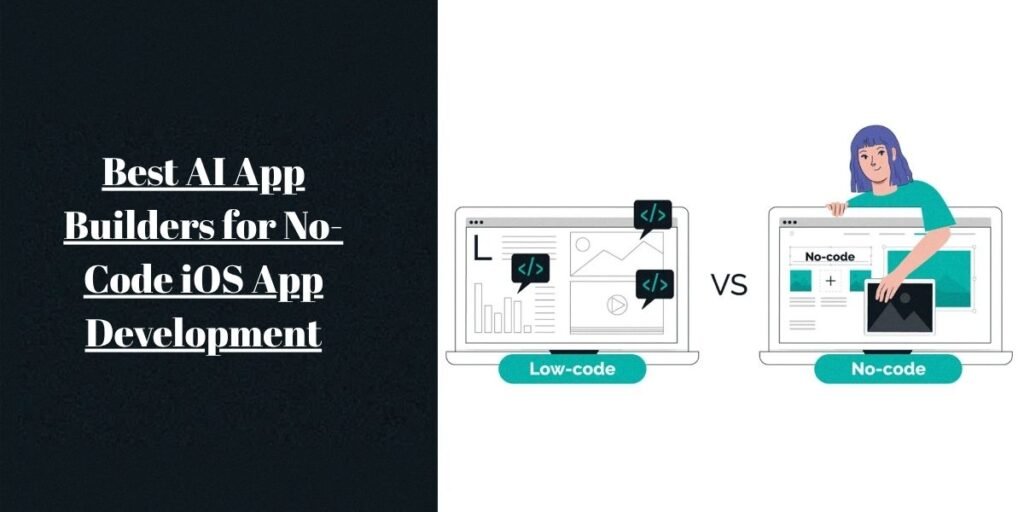
Turning an idea into an iPhone application without learning Swift or building the entire project from scratch in Xcode has completely shifted how modern software gets made. Anyone searching for low-code no-code iOS app builders is rarely looking for a history lesson on software development. They want to ship a working product to the App Store efficiently.
The core challenge is that the term AI app builder now covers radically different products. One platform might compile clean React Native code, another relies on Flutter, a third provides a strictly visual mobile builder, and others simply wrap an existing website into a container for mobile distribution. Furthermore, some prompt-first tools generate a stunning prototype in seconds but leave users stranded when the application logic becomes complex.
These 12 builders are evaluated across the entire lifecycle: moving from an initial idea to a working application, testing an iOS build, deploying through TestFlight, launching on the App Store, and maintaining a scalable product.
The 12 AI App Builders Worth Considering in 2026
These platforms are not interchangeable. Some excel at rapid AI text-to-app generation, others provide deep visual control, and a few prioritize code export and developer handoff. The most critical distinction is what you actually own and control when the building process concludes.
1. FlutterFlow: The Strongest Choice When No-Code Needs a Path to Real Development
FlutterFlow bridges the gap between visual configuration and traditional software engineering. It is not merely a basic drag-and-drop builder; its architecture allows builders to start visually and progressively tap into professional development workflows, making it uniquely suited for startup MVPs, customer-facing applications, apps requiring heavy backend logic, and multi-platform projects targeting both iOS and Android.
The role of artificial intelligence extends far beyond basic text prompts. FlutterFlow integrates tools like the Designer, Generate features, Agent Panel, plugins, and Test Pilot to accelerate screen creation and logic mapping. AI assists in generating initial layouts, translating design patterns, and proposing structural changes. However, when an application demands unique custom behavior, the AI stops and manual configuration in the editor takes over.
Without writing code manually from scratch, users can design complex screens, set up responsive layouts, configure navigation paths, build reusable components, handle states, and define intricate actions and animations.
Data architecture relies heavily on native integrations with Firebase and Supabase. Users can manage databases, set up secure user authentication, connect to external REST APIs, trigger server-side cloud functions, configure push notifications, and embed payment gateways like Stripe.
FlutterFlow compiles into a cross-platform application using the Flutter framework. The user interface is built through Flutter widgets rather than native SwiftUI or UIKit, producing high-performance compiled binaries that run smoothly on iPhones.
When a project outgrows visual building, developers can step in. Users on paid tiers can download clean Flutter and Dart source code, integrate with GitHub, or sync via the VS Code extension to write custom widgets and code.
Handling iOS builds requires an active Apple Developer account. FlutterFlow simplifies code signing, configuration, and one-click deployment to TestFlight and the App Store, though compliance with Apple review guidelines remains the publisher’s responsibility.
While the platform offers a free tier for learning and prototyping, unlocking production features requires a paid subscription. The Basic plan starts at $39 per month (or roughly 29.25permonthwhenbilledannually), which unlocks source code downloads, custom domains, and direct App Store deployment. Higher tiers like Growth (80/mo) and Business ($150/mo) add team collaboration, GitHub version control, and expanded AI limits.
Choose FlutterFlow when you want the velocity of visual and AI development without creating a technical dead end if your application eventually requires a dedicated engineering team.
2. Adalo: The Easiest Route From an App Idea to a Published No-Code Product
Adalo focuses heavily on simplicity, offering an accessible path for non-technical founders to launch native mobile apps without touching code.
The platform allows users to initiate projects through natural language prompts, generating an initial multi-screen layout, navigation structure, and relational database schema instantly.
Once the initial generation completes, builders use a visual canvas to modify screens, arrange lists, construct forms, configure user roles, and apply conditional logic and user authentication.
Unlike tools that force external database configurations, Adalo features a built-in relational database. Users can manage collections, establish multi-table relationships, define user permissions, and handle data management directly within the interface.
Core native capabilities such as push notifications, camera access, device location services, and in-app payments are integrated directly into the platform framework.
Adalo manages the compilation pipeline, generating proper IPA files and allowing direct publishing to the Apple App Store without requiring manual configuration inside Xcode.
The platform can become restrictive when an application requires highly custom user interactions, deeply complex algorithmic logic, or extensive reliance on custom native device APIs. Source-code ownership is also limited compared to code-export tools.
The Starter plan is priced at $36 per month when billed annually, which includes publishing capabilities and removes database record caps found on legacy tiers.
Best for non-technical founders and small business owners who need the shortest possible learning curve between an initial concept and a live, functioning mobile application in the App Store.
3. Draftbit: The Better Fit When You Expect a Developer to Take Over
Draftbit centers its entire value proposition on code ownership and developer handoff, making it a critical asset when the person building the initial MVP is not necessarily the engineer maintaining it long-term.
The platform blends AI-assisted generation with a granular visual development environment built directly on React Native and Expo.
Users can map screens, establish complex navigation hierarchies, hook up external REST APIs, configure user authentication, and leverage built-in Supabase database integrations.
Unlike closed no-code ecosystems, Draftbit gives builders direct access to underlying source code. Teams can write custom JavaScript or TypeScript components, modify generated code blocks, and utilize full GitHub integration for version control and developer collaboration.
When it comes to deployment, Draftbit handles the native build configurations required to push apps to the iOS App Store and Google Play.
Pricing structure features a Free tier for early prototyping, with paid plans starting at $20 per month (Standard) for core publishing features, and scaling up to $40 per month (Pro) for full GitHub code export and multi-agent AI configurations.
Choose Draftbit when your project demands real source-code ownership and a seamless path for engineering handoffs rather than a locked-in visual service.
4. Bilt: The AI-First Choice for Building Through Conversation
Bilt shifts the app creation paradigm away from traditional manual layout assembly toward conversational, prompt-driven development. The core user experience revolves around describing a software concept in natural language, allowing the integrated AI agent to spin up a working full-stack mobile application complete with front-end UI screens, database schemas, and user authentication wired together in minutes.
Instead of configuring component trees manually, users interact through chat prompts to add new features, adjust visual behavior, or modify underlying logic. Under the hood, Bilt compiles projects into native mobile architectures, giving creators a real device footprint rather than a simple web wrapper.
The platform includes options to preview builds directly on physical mobile devices in real time and handles the pathway toward App Store submission. Paid plans start at $15 per month, supplying expanded monthly AI credit limits and priority agent access.
Choose Bilt when you want an AI agent to handle the heavy lifting of initial application construction through natural dialogue rather than dragging and dropping elements by hand.
5. Thunkable: A Practical Starting Point for Simpler iOS Apps
Thunkable relies on a visual, block-based logic programming model rather than traditional text-based code, making it an exceptionally accessible option for educators, beginners, and first-time creators.
Instead of typing functions, builders snap together interlocking functional blocks to configure screen flows, variables, device events, and external API calls.
Native device feature integration is a key asset here, offering deep support for mobile hardware components including cameras, location services, motion sensors, and Bluetooth Low Energy peripherals.
Creators can preview changes instantly on physical iPhones using the companion app before compiling final binaries for cross-platform app store deployment.
The pricing model includes a free learning tier, but publishing a live application requires the Builder plan at $59 per month, with advanced professional tiers scaling from $99 to $189 per month for multi-app publishing and team permissions.
Best for beginners and projects heavily reliant on native mobile sensors where block-based visual logic takes priority over deep custom code flexibility.
6. Bravo Studio: The Builder to Consider When the Design Already Exists
Bravo Studio takes a distinct design-first route, catering directly to product designers, agencies, and teams that have already mapped out their user interfaces inside Figma.
Rather than building screens from scratch in a separate mobile editor, creators design their entire UI layout in Figma, apply specialized tags, and import the file directly into the platform.
To bring those static screens to life, Bravo connects external backends and databases through REST APIs, enabling dynamic data binding, user authentication, and custom data workflows.
The platform then compiles these connected designs into native iOS and Android application packages ready for store submission.
The subscription model offers a free Starter tier for prototyping, while the Solo plan runs around $22 per month, unlocking app store build generation and modern AI tooling integrations.
Best for design-forward teams that want to transform existing Figma prototypes into functional native mobile applications without rebuilding interfaces component by component.
7. GoodBarber: A Managed App Platform for Businesses That Don’t Need an Open Development Stack
GoodBarber operates as a mature, template-backed platform built for content creators, publishers, and e-commerce brands that want a polished mobile presence without wrestling with custom software development or open code frameworks.
Rather than functioning as an open AI coding experiment, the platform relies on structured visual modules, pre-built templates, and robust content management backends.
The feature set covers commercial publishing essentials including custom push notification campaigns, integrated store catalogs, user account portals, and native or Progressive Web App deployment options.
Because GoodBarber handles server infrastructure and software maintenance automatically, users sacrifice deep code-level customization and accept platform dependency.
Pricing splits into distinct content and e-commerce lines. For publishing an app to both app stores, the Content Premium tier starts around $55 to $70 per month (billed annually or monthly), while e-commerce tiers run slightly higher.
Best for established businesses and retail brands looking for a reliable, template-backed environment with managed app store distribution over custom engineering flexibility.
8. Appy Pie: A Template-Led Route for Small-Business Apps
Appy Pie targets small business owners and non-technical entrepreneurs who need a fast, template-driven way to launch a functional app without spending weeks configuring design parameters or backend logic.
The platform features AI-assisted creation tools to spin up initial layouts based on standard business categories such as restaurant ordering, appointment booking, directories, and content feeds.
Customization is handled through a straightforward visual interface where users can drag modules, insert forms, manage media feeds, and connect standard payment gateways.
Appy Pie thrives when matching an established commercial workflow rather than inventing entirely bespoke software systems.
When moving toward publishing, the platform handles iOS and Android builds, though iOS app store deployment requires stepping up to the Platinum tier at around $60 per month (billed annually) per app.
Best for local businesses and retail operations whose digital requirements map neatly onto established app templates rather than custom-engineered software architecture.
9. Andromo: Better for Content, Media and Monetized Apps Than Complex Products
Andromo bypasses complex custom backend configuration in favor of pre-built modules and templates tailored specifically for content-driven publishers, media creators, and catalog-focused mobile apps.
Rather than writing code or drawing bespoke user flows from scratch, creators assemble applications by snapping together content blocks, RSS feeds, website views, podcast players, and booking widgets.
Monetization features stand out as a core strength, featuring native support for banner ads, interstitial placements, and Google AdMob integrations.
When moving toward distribution, Andromo manages mobile compilation for both iOS and Android app stores.
Pricing starts around $32 per month for the Hobbyist tier, while advanced tiers supporting ad monetization or e-commerce integrations range from $56 to $80 per month.
Best for bloggers, content publishers, and small service businesses looking to deploy structured media applications with minimal setup friction.
10. Anything: A Prompt-First Builder for Rapid Mobile Prototypes
Anything focuses entirely on acceleration, using natural language prompting to take a creator from a blank text box to a functioning mobile prototype in minutes.
The platform uses conversational text commands to spin up initial user interfaces, establish database tables, wire up user authentication, and map basic application logic.
Underneath the chat-driven interface, projects are built on React Native and Expo, providing a clean technical foundation that avoids closed web wrappers.
As apps scale past basic prototypes, developers can move beyond simple chat tweaks by exporting the source code or connecting directly via GitHub for deep debugging.
Pricing blends a flexible prototyping tier with monthly subscriptions ranging from $20 to $40 per month depending on generation volume.
Best for founders and rapid prototypers who want to validate an app concept quickly through natural language prompts before transitioning the project into a professional development environment.
11. Rork: For People Who Want the AI to Drive the Mobile Build
Rork leans heavily into prompt-driven native mobile development, establishing a workflow where conversation replaces traditional interface drafting.
The platform uses natural language instructions to spin up initial layouts, configure data layers, and handle application logic, building directly on React Native and Expo (or compiling natively via Rork Max).
Pricing follows a message-based model rather than traditional subscription tiers, starting with a Junior plan around $25 per month (providing 100 AI prompts) and scaling up to $50 to $200 per month for higher-volume generation and multi-user environments.
While conversational building allows founders to iterate quickly, users must carefully evaluate how well an AI agent can maintain a production application as codebases grow complex and bug fixing requires manual intervention.
Best for fast AI-led mobile prototyping and users who prefer conversational prompts over manual component placement.
12. Bubble: Powerful for the Product Behind the App, But Not a Native-First iOS Builder
Bubble appears frequently in searches for modern software builders because it serves as an enterprise-grade backend and web application engine, featuring a native mobile app builder alongside its core web capabilities.
The platform excels at managing heavy data structures, complex business logic, secure relational databases, and multi-user workflows.
While Bubble supports native iOS and Android compilation, its architecture is web-first. This creates a distinct trade-off compared to mobile-first builders, making it exceptionally powerful for SaaS products and web platforms that need a synchronized mobile extension, but less ideal for standalone, device-heavy consumer apps built strictly around native iPhone hardware patterns.
Subscription tiers start around $59 per month when billed annually (plus workload unit consumption).
Best when the product is fundamentally a robust software platform or SaaS application that also requires an integrated mobile presence, rather than a standalone native-first iOS experience.