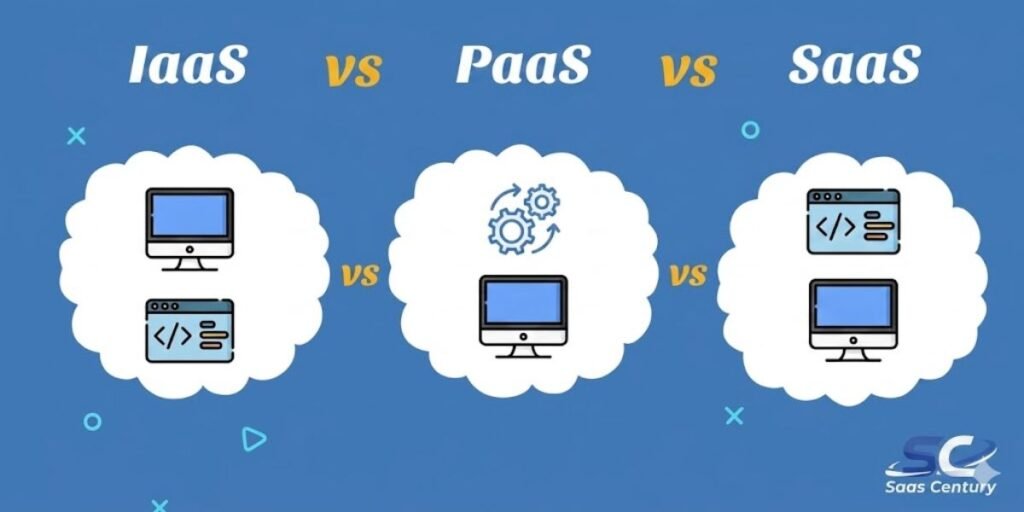
The transition from legacy on-premises hardware to a cloud-native architecture represents a significant technical pivot for any modern organization. This shift accelerates innovation cycles by aligning specific workloads with the correct service model.
Selecting between IaaS, PaaS, and SaaS is essentially a decision about where to draw the line of responsibility between an internal IT team and a service provider.
This guide breaks down the architecture of the modern cloud stack. It explores the mechanical differences between managing raw virtualized hardware and consuming finished software.
Furthermore, it examines how the Shared Responsibility Model impacts a firm’s security posture and which model (IaaS vs PaaS vs SaaS) fits specific development or business goals.
What’s the Real Difference Between IaaS, PaaS, and SaaS?
The fundamental distinction lies in the management depth required by the user. These models function as a sliding scale of control.
At one end, IaaS provides raw building blocks. While you receive virtual servers and storage, your team remains responsible for the operating system, security patches, and middleware. It is the digital equivalent of renting a vacant lot to build a custom structure from the ground up.
In contrast, PaaS shifts the focus toward the developer. The provider handles the operating system and the runtime environment, leaving your team to manage only the application code and the data. Think of this as renting a fully equipped commercial kitchen; you bring the ingredients and focus on the cooking, while the landlord maintains the heavy appliances.
SaaS represents the complete abstraction of information technology. There is no requirement to manage servers or underlying code. Instead, users simply access a finished product through a web browser. This mirrors a restaurant model where you sit down and eat. While you have the least amount of control over the technical engine, you gain the highest speed to market.
Key Takeaways
- IaaS typically follows a usage-based billing model requiring engineering oversight, whereas SaaS often utilizes predictable per-user subscriptions.
- PaaS serves as the ideal middle ground for developers who need to deploy custom applications without the burden of server configuration.
- IaaS provides maximum flexibility for custom network topologies, while SaaS offers the highest convenience for standard business functions like CRM or email.
- The choice of model should be dictated by the desired business outcome, whether that is granular control, rapid prototyping, or lower operational overhead.
- Moving from IaaS to SaaS allows the provider to take over labor-intensive tasks like hardware maintenance and kernel patching.
- Startups frequently prioritize SaaS and PaaS to minimize upfront capital expenditure and keep the focus on product development.
- Large-scale enterprises often adopt a hybrid strategy, keeping IaaS for legacy systems while integrating SaaS for modern workforce collaboration tools.
What Is Cloud Computing?
At its core, cloud computing is the on-demand delivery of IT resources via the internet. Rather than purchasing and maintaining physical data centers, businesses access technology services (such as computing power and databases) on an as-needed basis from providers like AWS, Microsoft Azure, or Google Cloud.
This ecosystem functions through Virtualization. High-end physical servers are partitioned into multiple virtual instances using a hypervisor. Consequently, multiple users can share the same physical hardware securely. This architecture drives down costs and enables near-instant scalability.
If a website experiences a sudden traffic spike, the cloud allows for the provision of more resources in seconds, a process that would take weeks with traditional physical hardware.
An Overview of Cloud Service Models
Cloud service models are the architectural frameworks defining how computing resources are delivered. These models have matured into a specialized ecosystem where the Shared Responsibility Model is the most critical concept. This framework dictates that security and maintenance are a split effort; the provider secures the infrastructure, while the user secures the data and configurations placed inside it.
To visualize these models, one must look at the IT Stack, which consists of nine distinct layers: Networking, Storage, Servers, Virtualization, Operating System, Middleware, Runtime, Data, and Applications. Each cloud model automates a specific number of these layers to reduce technical debt.
Core Cloud Service Models:
- Infrastructure as a Service (IaaS)
- Platform as a Service (PaaS)
- Software as a Service (SaaS)
Within an IaaS environment, the provider manages the bottom four layers of the stack. You are essentially renting a virtualized data center. This requires a technical team capable of managing an Operating System and configuring Virtual Private Clouds. It is the go-to choice for high-performance computing or migrating legacy enterprise software that requires specific hardware hooks.
Moving into PaaS, the provider takes over the Middleware and Runtime layers. This creates a specialized sandbox for developers to build and deploy applications without ever touching a server terminal. While this significantly reduces time-to-market, it does limit the ability to tweak deep-level server settings.
Finally, SaaS represents a total shift where the provider manages all nine layers of the stack. You simply interact with the user interface. While this offers the least technical control, it provides the highest level of operational efficiency for standard business tasks. Most modern enterprises utilize a hybrid strategy to balance these models across different departments and use cases.
SaaS (Software as a Service)
Software as a Service is the most widely recognized cloud model because it delivers finished applications directly to the end-user. Instead of installing software on a local hard drive, users access the application via a web browser or a thin-client interface. In this model, the service provider manages every technical layer, including the servers, databases, and the application code itself.
What Is SaaS?
SaaS is a software distribution model where a third-party provider hosts applications and makes them available to customers over the internet. It eliminates the need for organizations to run and install applications on their own computers or in their own data centers. Consequently, this removes the hardware acquisition, provisioning, and maintenance costs, as well as software licensing, installation, and support burdens.
How SaaS Works
The operational mechanics of SaaS rely on a Multitenant Architecture. This means a single instance of the software serves multiple customers or tenants. While users share the same infrastructure and code base, their data remains logically separated and secure.
The provider handles all updates and patches centrally. When a new feature is rolled out, it becomes available to all users simultaneously without requiring manual intervention. Users typically pay a recurring subscription fee, which covers the hosting, maintenance, and security of the platform.
Key Features of SaaS
- Web-Based Access: Applications are accessible from any device with an internet connection, promoting remote work and mobility.
- Centralized Management: All users run the same version of the software, simplifying support and ensuring compatibility across a workforce.
- Automated Provisioning: New users can be onboarded in minutes by simply creating an account, rather than waiting for hardware or software setup.
- Subscription Billing: Costs are structured as monthly or annual fees, allowing for predictable operational budgeting.
- API Integration: Most modern SaaS platforms offer robust APIs to connect with other cloud-based tools and internal databases.
Advantages of SaaS
From a strategic standpoint, SaaS offers immediate utility by bypassing the lengthy procurement and setup cycles associated with traditional software. Some of the most impactful business benefits include:
- Lower Upfront Costs
- Painless Automatic Updates
- Cross-Device Compatibility
- Seamless Scalability
- Global Accessibility
- Reduced Time-to-Benefit
By shifting the burden of maintenance to the vendor, your internal IT staff can pivot their focus toward higher-value projects rather than troubleshooting local installation errors.
Disadvantages of SaaS
While the convenience is undeniable, SaaS introduces specific trade-offs regarding sovereignty and customization. Organizations must remain aware of certain operational hurdles:
- Limited Customization Options
- Dependence on Internet Connectivity
- Potential Data Privacy Concerns
- Vendor Lock-in Risks
- Integration Challenges with Legacy Systems
- Less Control Over Versioning
Because the provider controls the update cycle, your team may occasionally find themselves adjusting to interface changes or feature removals that were not specifically requested.
Popular SaaS Examples
- Customer Relationship Management: Salesforce, HubSpot.
- Productivity Suites: Google Workspace, Microsoft 365.
- Communication: Slack, Zoom.
- Project Management: Asana, Trello, Monday.com.
PaaS (Platform as a Service)
Platform as a Service provides a framework for developers to build, test, and deploy custom applications. It abstracts away the complexity of managing the underlying servers and operating systems, allowing the focus to remain entirely on the Development Lifecycle.
What Is PaaS?
PaaS is a cloud environment that provides everything necessary to support the complete life cycle of building and delivering web-based applications. It is specifically designed for developers who want to avoid the difficulty of setting up runtimes and middleware.
How PaaS Works
PaaS providers offer a Solution Stack that includes the operating system, programming language execution environments, databases, and web servers. Developers upload their code to the platform, and the PaaS handles the deployment and execution.
This model often utilizes Containerization to ensure that applications run consistently across different environments. The platform automatically scales the resources up or down based on the application’s traffic demands.
Key Features of PaaS
- Development Frameworks: Provides built-in software components that developers can use to create applications, reducing the amount of manual coding.
- Scalability: Automatically adjusts resources to handle the application’s load without manual server tuning.
- Integration: Easily connects with other web services, databases, and third-party APIs.
- Multi-language Support: Often accommodates various environments like Java, .NET, Python, and Ruby within the same platform.
- Collaboration Tools: Many platforms include version control and code sharing features directly within the cloud environment.
Advantages of PaaS
For engineering teams, PaaS acts as a massive force multiplier by automating the infrastructure plumbing. The following advantages allow creativity and logic to take center stage:
- Reduced Development Time
- Simplified Deployment Processes
- Cost-Effective Multi-Platform Apps
- Automated Resource Scaling
- Built-in Collaborative Tools
- Lower Path to Innovation
These platforms effectively eliminate the “it works on my machine” problem by providing a standardized environment that remains consistent from testing to production.
Disadvantages of PaaS
The primary drawback of PaaS is the inherent constraint of the environment. Developers should be mindful of these specific limitations before committing to a platform:
- Platform Dependency and Lock-in
- Limited Infrastructure Access
- Data Security Challenges
- Compatibility Issues with Specific Software Versions
- Runtime Limitations
- Abstracted Costs can be Hard to Predict
If the provider decides to deprecate a specific language version or runtime, your development team may be forced into a code refactor sooner than anticipated.
Popular PaaS Examples
- Application Hosting: Heroku, Google App Engine.
- Cloud Development: AWS Elastic Beanstalk, Microsoft Azure App Service.
- Enterprise Platforms: SAP Cloud Platform, Red Hat OpenShift.
IaaS (Infrastructure as a Service)
Infrastructure as a Service is the most flexible cloud model, offering raw computing power, storage, and networking as virtualized resources. It is the digital equivalent of a physical data center but without the hardware maintenance.
What Is IaaS?
IaaS is a form of cloud computing that provides virtualized computing resources over the internet. It is the lowest level of the cloud stack, giving IT administrators the highest level of control over the infrastructure.
How IaaS Works
IaaS uses Virtualization to split physical servers into virtual machines. Users interact with these resources through a dashboard or an API. When you request a server, the provider allocates a specific amount of CPU, RAM, and disk space from their physical pool.
Unlike SaaS or PaaS, you are responsible for the Guest Operating System. This means you must select the OS, manage the security patches, and configure the firewalls.
Key Features of IaaS
- On-Demand Resources: Infrastructure can be scaled up or down instantly based on real-time requirements.
- Network Connectivity: Includes virtual routers, load balancers, and dedicated IP addresses.
- Consumption-Based Pricing: You pay only for the virtualized resources you consume, often billed by the hour or second.
- Dynamic Clustering: Allows for high availability by spreading workloads across multiple physical servers.
- Total Administrative Access: Provides root-level access to the virtualized hardware instances.
Advantages of IaaS
The biggest draw for IaaS is its absolute versatility, mirroring the capabilities of on-premises hardware. Professionals often choose IaaS for the following reasons:
- Total Control Over the Stack
- Dynamic and Instant Scalability
- Reduction in Physical Hardware Costs
- High Reliability and Redundancy
- Support for Legacy Application Migration
- Granular Networking Configurations
This model is the ideal choice for businesses with strict regulatory requirements that need to audit every layer of the operating system and network traffic.
Disadvantages of IaaS
The power of IaaS comes with significant administrative responsibility. Teams must be prepared to handle the following technical challenges:
- Higher Technical Expertise Required
- Intensive Resource Management
- Complex Security Responsibilities
- Risk of Cost Overruns from Idle Instances
- Maintenance of Guest Operating Systems
- Manual Configuration of Backup Systems
Because you are essentially building a custom network from scratch, the burden of ensuring uptime and data integrity rests almost entirely on your internal IT engineers.
Popular IaaS Examples
- Market Leaders: Amazon Web Services (AWS) EC2, Microsoft Azure Virtual Machines.
- Specialized Providers: DigitalOcean, Linode.
- Enterprise Infrastructure: Google Compute Engine (GCE), IBM Cloud.
IaaS vs PaaS vs SaaS (Side-by-Side Comparison)
Selecting the right cloud model requires a clear understanding of where your team’s effort will be spent. While a comparison table provides a quick glance at the technical boundaries, the true decision often hinges on the balance between operational speed and granular control. The following breakdown illustrates how these models stack up across the most critical business metrics.
| Feature | IaaS | PaaS | SaaS |
| Control | Maximum: You manage the OS, middleware, and apps. | Partial: You manage only the app code and data. | Minimum: The provider manages the entire stack. |
| Flexibility | High: Build any custom infrastructure or network. | Moderate: Limited to the provider’s supported runtimes. | Low: Fixed features with basic configuration options. |
| Cost Model | Variable: Pay for raw resources (CPU/RAM/Disk). | Mixed: Pay for resources plus platform management. | Fixed: Usually a per-user or per-month subscription. |
| Target Audience | Network Architects and System Admins. | Software Developers and DevOps Teams. | Business End-Users and Non-Technical Teams. |
Where Python and SAS Fit in These Models
The classification of programming languages and analytics software like Python and SAS depends entirely on how they are hosted and consumed. These tools do not belong to a single cloud model; instead, they adapt to the environment you choose.
If you install Python on a virtual machine where you manually manage the libraries and environment variables, you are operating in an IaaS capacity. However, when you use Google App Engine or AWS Lambda to run Python code without managing a server, you have moved into PaaS.
SAS follows a similar trajectory. Historically, companies ran SAS on their own servers (IaaS style). Today, SAS Viya is often delivered as a hosted platform (PaaS) or as a fully managed cloud service (SaaS), allowing data scientists to run complex analytics through a browser without ever seeing the underlying hardware.
How These Cloud Models Work Together
Modern enterprise environments rarely rely on a single model. Instead, they build a cohesive ecosystem where IaaS, PaaS, and SaaS function in tandem. A typical architecture might look like this:
An organization uses SaaS (like Microsoft 365 or Slack) for daily communication and workforce productivity. Simultaneously, their development team builds a custom customer-facing portal using PaaS (like Heroku or Azure App Service) to ensure rapid deployment and scaling.
Finally, the company hosts a massive legacy database or a high-security internal system on IaaS to maintain full control over the data encryption and network firewalls. This integrated approach ensures that each department has the right tool for its specific level of technical expertise.
Cloud Deployment Models
While service models define what is being delivered, deployment models define who has access to the infrastructure and where it resides. The choice of deployment model is often driven by security requirements, budget, and industry regulations.
Public Cloud
The public cloud is the most common deployment model, where resources are owned and operated by a third-party provider and shared among multiple organizations. Users access these services over the internet, benefiting from massive economies of scale.
Common operational advantages of the public cloud include:
- The public cloud allows for High Scalability as resources can be increased almost instantly to match fluctuating demand.
- By sharing hardware, organizations benefit from Lower Costs since the provider spreads the physical infrastructure expenses across many customers.
- Internal teams are completely absolved from any Maintenance Burden regarding server hardware, cooling, or physical security.
- Most public providers offer Global Reach and Availability, allowing you to deploy applications in data centers closer to your end-users.
- The pay-as-you-go model ensures you only pay for the exact amount of computing power consumed.
Because you share physical hardware with other “tenants,” this model is highly efficient but may not be suitable for organizations with extreme privacy or specific hardware compliance needs.
Private Cloud
A private cloud consists of computing resources used exclusively by one business or organization. It can be physically located at an on-site data center or hosted by a third-party provider. The key is the dedicated nature of the hardware.
Organizations typically choose a private cloud for the following reasons:
- This model provides Enhanced Security and Privacy because resources are never shared with outside parties.
- Users maintain Full Customization of Hardware, allowing for specific configurations like high-end GPUs or unique storage arrays.
- It is often the only viable path for meeting Strict Regulatory Compliance regarding physical data sovereignty.
- Businesses gain Predictable Performance Isolation because there are no “noisy neighbors” competing for CPU or bandwidth.
- Direct control over the network stack allows for specialized security protocols and hardware-level encryption.
The trade-off for this exclusivity is a significantly higher price tag and a continued requirement for an internal IT team to manage the physical or virtualized infrastructure.
Hybrid Cloud
A hybrid cloud is a computing environment that combines a public cloud and a private cloud, allowing data and applications to be shared between them. This provides businesses with greater flexibility and more deployment options.
Key strategic benefits of the hybrid approach include:
- Companies achieve an Optimal Balance of Security and Scale by keeping sensitive data private while using the public cloud for web-facing apps.
- It enables Cloud Bursting Capabilities where an application can automatically move to the public cloud if the private site reaches its capacity.
- The model provides a Gradual Migration Path for legacy systems, avoiding the risks of a “big bang” cutover.
- Organizations use the public cloud for Cost-Effective Disaster Recovery as a secondary backup site for primary operations.
- Workload portability allows teams to shift applications between clouds as costs or performance needs change.
For example, a company might store sensitive financial records on a private cloud while using the public cloud to host their high-traffic web application. This ensures that sensitive data is protected while the public-facing side of the business can scale infinitely to meet user demand.
When to Choose SaaS, PaaS, or IaaS
Selecting a cloud model is a strategic decision that depends on your project goals, internal expertise, and the level of control required over the tech stack. There is no one-size-fits-all answer. Instead, organizations often mix these models to create a balanced, high-performance ecosystem.
Choose SaaS If…
SaaS is the path of least resistance for businesses that need to solve a problem without hiring a fleet of engineers. You should prioritize this model when the following conditions are met:
- Rapid Deployment Needed: You need the software functional within minutes rather than weeks.
- Budget Focuses on OpEx: You prefer a predictable monthly subscription over a large upfront capital investment.
- Non-Core Business Applications: The tool (like accounting or HR software) is necessary but isn’t the unique product you are selling.
- Remote Workforce Collaboration: Your team is spread across different geographies and needs a central, browser-based hub.
If you need a tool like a CRM or an email suite today, SaaS allows you to sign up and start working immediately without ever talking to a server administrator.
Choose PaaS If…
PaaS is the best fit for development teams that want to build custom software but don’t want to be bogged down by server maintenance. It provides a specialized environment that streamlines the coding process through several key advantages:
- Custom Application Development: You are building a unique app from scratch and need a platform to host it.
- Agile and DevOps Workflows: Your team needs to push code updates frequently and automatically.
- Limited Infrastructure Budget: You have talented developers but lack a dedicated system administration team.
- API-First Microservices: You are building a modern, modular application that connects multiple web services.
By using PaaS, your developers can focus entirely on the User Experience and Business Logic while the platform handles the underlying scaling and security patches.
Choose IaaS If…
Opt for IaaS when you need absolute control and the highest level of flexibility. It is the preferred choice for complex architectural requirements that higher-level platforms cannot accommodate, specifically in these scenarios:
- Legacy System Migrations: You are moving an old application to the cloud that requires a specific, older version of an operating system.
- High-Performance Computing (HPC): Your workloads require massive raw processing power or specific GPU configurations.
- Strict Regulatory Compliance: You operate in a highly regulated industry like healthcare or finance and must audit the entire server stack.
- Complex Networking: You need to build custom firewalls, routing tables, and virtual private networks.
While IaaS requires the most technical skill to manage, it offers the most “future-proof” foundation for organizations that need to maintain deep visibility into their infrastructure.
Real-World Use Cases
The way different entities utilize the cloud depends on their scale and technical maturity. The focus has shifted toward Cloud-Native Intelligence and Autonomous Scaling.
Startups
Startups often operate with limited capital and lean teams. They lean heavily on SaaS for back-office tasks and PaaS for their actual product. This allows them to iterate fast and reach “Product-Market Fit” without wasting money on idle server capacity. A fintech startup might use a platform like Heroku to launch their app in weeks rather than months.
Enterprises
Large enterprises use the cloud to bridge the gap between legacy data and modern agility. They typically employ a Hybrid Multi-Cloud strategy. An enterprise might keep its sensitive customer records on a Private Cloud (IaaS) while using Public Cloud SaaS for global team communication and PaaS for new AI-driven customer service bots.
Developers
For individual developers and engineering teams, the cloud is about Efficiency. They use PaaS and CaaS (Containers as a Service) to ensure their code runs exactly the same in testing as it does in production. This eliminates environment-specific bugs and allows for continuous integration and delivery.
Where Container as a Service (CaaS) Fits In
Container as a Service (CaaS) is the modern bridge between IaaS and PaaS. While IaaS gives you a virtual machine and PaaS gives you a fixed application environment, CaaS provides a platform to manage Containers like Docker or Kubernetes. The following points highlight why this middle-ground is becoming a standard:
- Increased Portability: Unlike PaaS, containers can move between different cloud providers without code changes.
- Resource Efficiency: Containers have less overhead than full virtual machines, allowing you to run more apps on the same hardware.
- Microservices Support: It is the ideal environment for breaking large applications into smaller, independent parts.
FINAL VERDICT
Successful digital architecture is rarely built on a single model. Instead, it thrives on the strategic layering of IaaS vs PaaS vs SaaS to meet specific technical requirements. Determining whether to prioritize IaaS vs PaaS or focus on the immediate utility of PaaS vs SaaS depends entirely on where you want your team to focus their engineering hours.
By analyzing examples of SaaS PaaS and IaaS, it becomes clear that modern cloud service models are designed to eliminate technical debt. The goal is simple: offload the maintenance of hardware and runtimes so your organization can focus on the unique value it brings to the market.
Choosing the right path highly matters, because it ensures your infrastructure remains an asset for growth rather than an operational anchor.
FAQs
What is the difference between IaaS, PaaS, and SaaS?
The core difference is the Management Layer. IaaS gives you the virtual hardware. PaaS gives you the hardware plus the operating system and development tools. SaaS gives you a finished, ready-to-use application.
Is SaaS part of PaaS?
No, they are distinct models. However, most SaaS products are actually built on top of PaaS or IaaS infrastructure that is managed by the software vendor behind the scenes.
Which cloud model is best for startups?
Most startups start with SaaS for operations and PaaS for development. This strategy minimizes the need for expensive infrastructure engineers during the early growth stages.
Can I switch between cloud models later?
Yes, but it involves effort. Moving from IaaS to PaaS usually requires Refactoring your code to fit the new platform. Moving from SaaS to another model often involves a complex Data Migration process.
Glossary
- Abstraction: The process of hiding the technical complexity of underlying systems to make them easier for the end-user to manage.
- API (Application Programming Interface): A set of rules and protocols that allow different software programs to communicate and share data with each other.
- CaaS (Container as a Service): A cloud model that allows users to manage and deploy software containers, such as Docker or Kubernetes, across a cluster.
- Cloud Bursting: A configuration that sends overflow traffic to the public cloud when a private cloud reaches its maximum capacity.
- Cloud Service Models: The different frameworks (IaaS, PaaS, SaaS) that define how computing resources are delivered and who is responsible for managing them.
- Consumption-Based Pricing: A billing model where you pay only for the resources you use, often measured by the hour or second.
- Containerization: A method of packaging an application and its dependencies together so it runs consistently across different computing environments.
- Elasticity: The ability of a cloud system to grow or shrink resources automatically and near-instantly based on real-time demand.
- Hypervisor: Specialized software that creates and runs virtual machines by partitioning physical hardware into multiple isolated instances.
- IaaS (Infrastructure as a Service): A cloud model where you rent virtualized hardware, such as servers, storage, and networking, and manage the operating system yourself.
- IT Stack: The nine layers of technology required for an application to function, ranging from physical networking to the final software interface.
- Middleware: Software that acts as a hidden translation layer or bridge between an operating system and the applications running on it.
- Multitenancy: A software architecture where a single instance of an application serves multiple independent customers, known as tenants.
- On-Premises: Refers to traditional IT infrastructure where hardware and software are located within the physical confines of the organization.
- PaaS (Platform as a Service): A cloud-based environment specifically designed for developers to build, test, and deploy custom applications without managing servers.
- Runtime: The environment in which a program or application is executed, handling the execution of code in real-time.
- SaaS (Software as a Service): A method of delivering finished software applications over the internet via a browser and a subscription model.
- Shared Responsibility Model: A security framework defining which tasks are handled by the cloud provider and which are the duty of the customer.
- Virtualization: The core technology of the cloud that uses software to create simulated versions of physical resources, like a server or network.